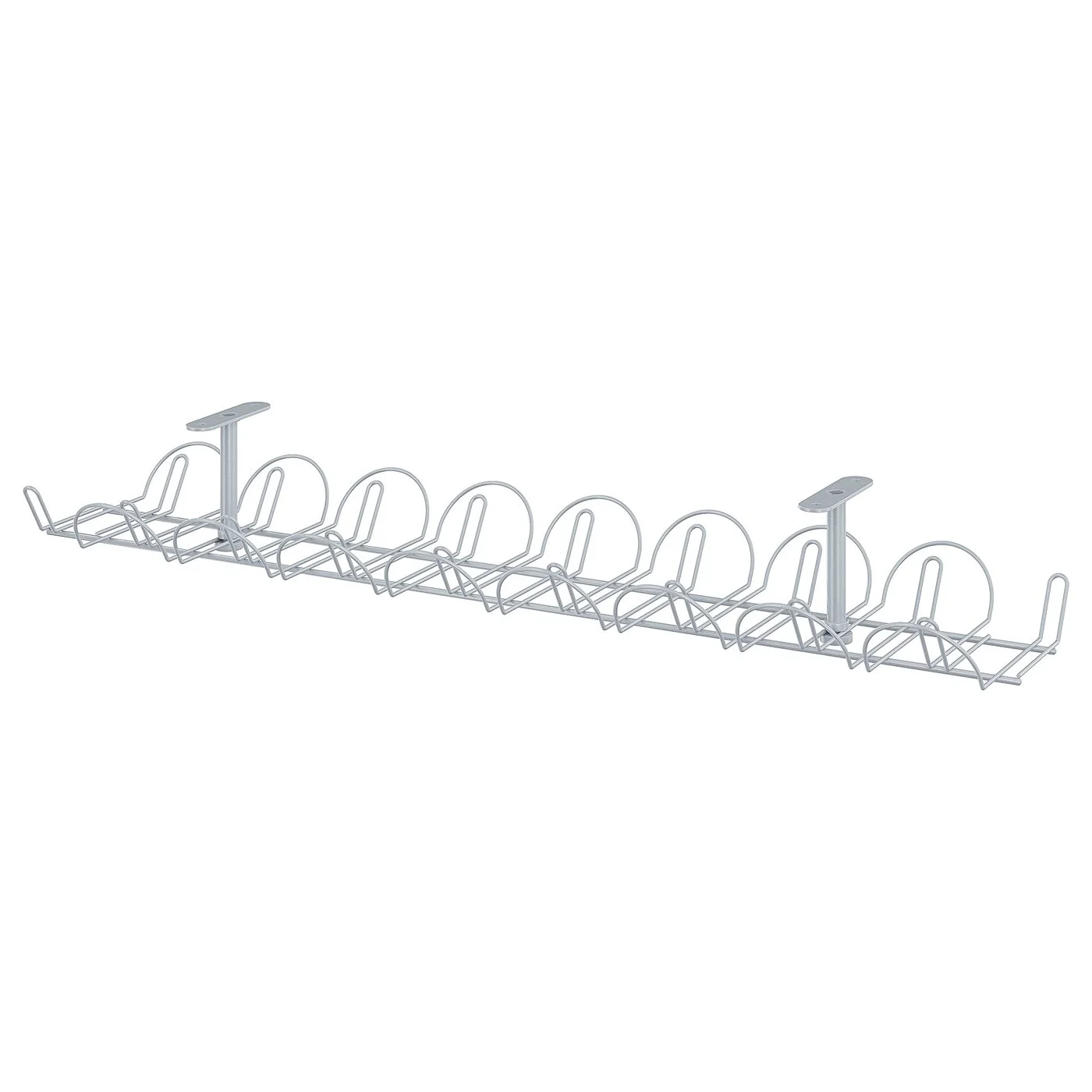
For most desks, start with an under-desk tray such as the IKEA SIGNUM to get the power strip and excess cable off the floor. Then bundle runs with reusable VELCRO ONE-WRAP Ties and use Bluelounge CableDrop clips to keep charging cables at the desk edge. Check desk material, mounting compatibility, cable diameter and load first.
If your desk is a tangle, start under it. A steel cable tray such as the IKEA SIGNUM lifts the power strip, chargers and slack off the floor. On many desks that is where most of the visible clutter sits. Add reusable VELCRO Brand ONE-WRAP Ties to bundle the runs that hang between desk and tray. Use Bluelounge CableDrop clips on the desktop so charging cables stay put instead of sliding behind the desk. These three products do different jobs and work best together. Our picks are based on manufacturer specifications and listed details, not hands-on testing or measured rankings. Our editorial policy explains how we research and select products.
Quick picks at a glance
| Product | Best for | Documented strength | Check before buying |
|---|---|---|---|
| IKEA SIGNUM | Getting power strips and cable slack off the floor | Powder-coated steel under-desk tray, 70×16 cm, listed maximum load 10 kg | Not suitable for glass tabletops; confirm mounting compatibility and local availability |
| VELCRO Brand ONE-WRAP Ties | Bundling cables you reroute or swap often | Reusable, adjustable pre-cut ties that fasten onto themselves; slotted head helps keep the tie attached to a cable | General bundling product; do not apply fire-rating claims from separate industrial variants |
| Bluelounge CableDrop | Keeping charging and accessory cables at the desk edge | Peel-and-stick holders; Regular listed for cables up to 8 to 10 mm, Mini for up to 4 to 5 mm | Cable diameter and whether the adhesive suits your desk surface |
Pricing and stock vary by region and retailer, so check them before you plan a full setup around any one item.
IKEA SIGNUM: best for under-desk routing
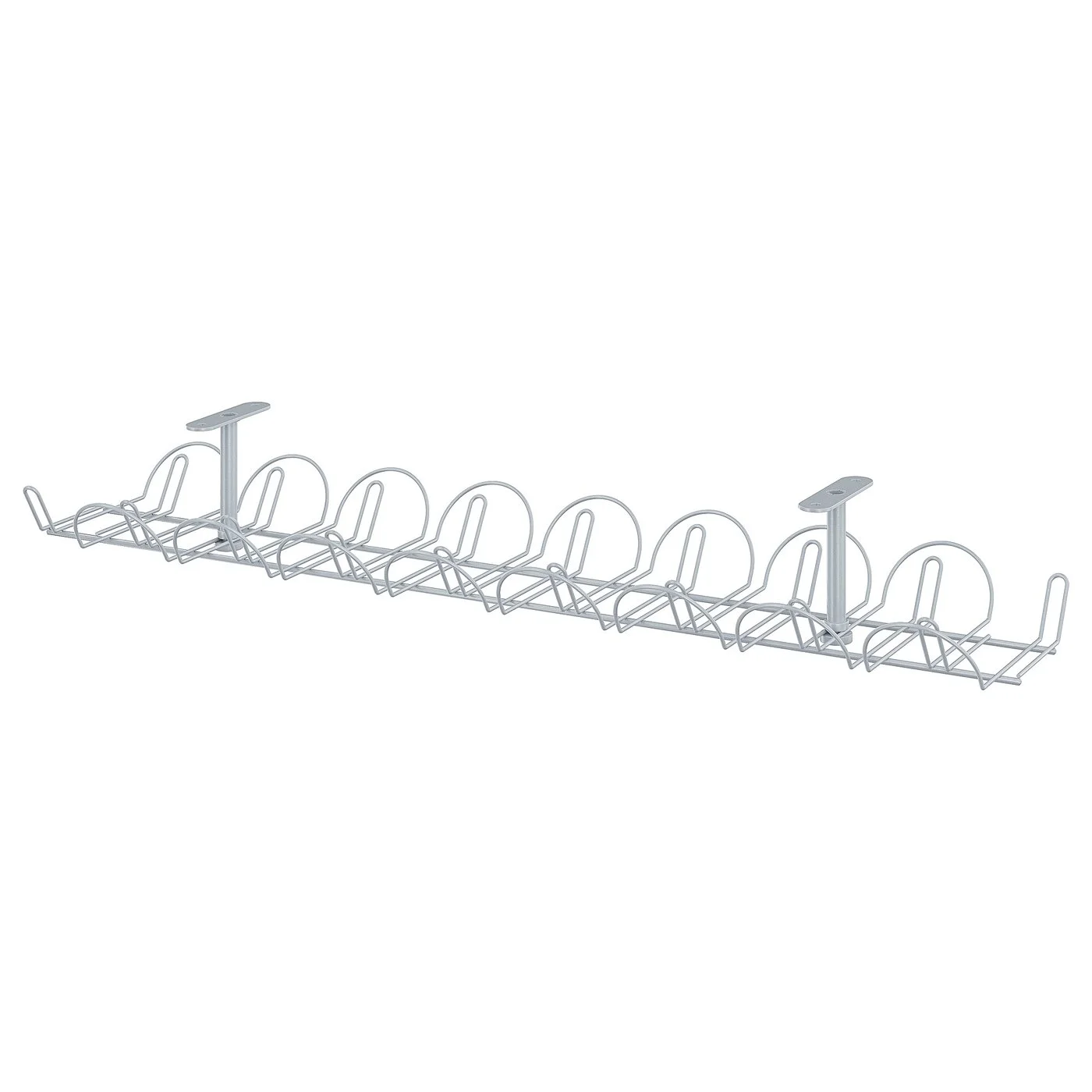
The SIGNUM is an under-desk cable tray made of powder-coated steel. It measures 70×16 cm and has a listed maximum load of 10 kg. That size and load rating point to its main job: holding a power strip, a few power bricks and the coiled excess of monitor, PC and lamp cables in one place under the desktop.
On many desks, a tray like this can make a big visual difference, because floor clutter is often a major source of visual mess. Once the power strip is up in a tray, the cables that need to reach the floor are typically just the wall power lead and anything going to a floor-standing PC.
Why it stands out
- Steel construction. The SIGNUM is a tray made to hold a group of items such as a power strip and bricks. Adhesive clips like CableDrop are made to hold individual cables.
- Clear load figure. The listed 10 kg maximum gives you a concrete number to plan against, rather than guessing.
- Defined footprint. At 70×16 cm, it is easy to check against the underside of your desk before buying.
What to watch
IKEA states the SIGNUM is unsuitable for glass tabletops, so rule it out for glass desks. The product page we referenced is IKEA UK, so confirm the product is sold in your region. Check what mounting method and hardware it uses against your desk's material and thickness. Also check the underside for frame rails, drawers, keyboard trays or motorized-desk components that could block a 70 cm tray. If you need help choosing a desk that suits under-desk accessories, see our desk setup guides.
VELCRO ONE-WRAP Ties: best for cables you change
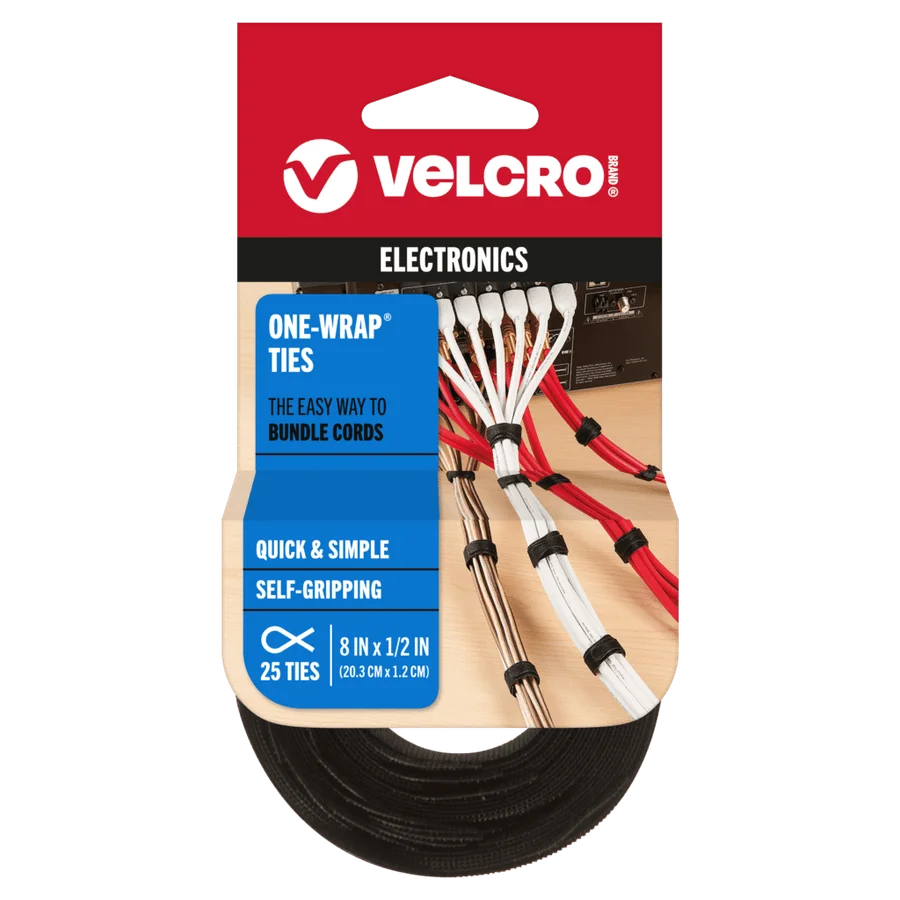
VELCRO Brand ONE-WRAP Ties are reusable, adjustable pre-cut ties that fasten onto themselves. The slotted head helps keep the tie attached to a cable, so it is less likely to go missing when you open a bundle.
This matters at a desk more than in many other places. Desk setups change: you swap a webcam, add a microphone, move a monitor or plug in a new laptop dock. Single-use plastic zip ties usually have to be cut when you change something. Reusable ties that fasten onto themselves can be opened and refastened.
Where ties earn their place
- The drop from desk to tray. Bundle the monitor, peripheral and power cables that hang from the back edge so they read as one neat run.
- Coiling slack. Tie up excess length inside the tray so it does not spill over the edges.
- Keeping ties with their cables. Because the slotted head helps a tie stay on its cable, you can leave a tie in place on a cable you open often instead of hunting for a loose one.
What to watch
Treat these as a general cable bundling product. Do not apply fire-rating claims from separate industrial ONE-WRAP variants to these ties, and do not buy them expecting a fire-rated product. Do not cinch bundles so tightly that cables bend sharply, and avoid tightly wrapping power bricks that get warm in use.
Bluelounge CableDrop: best for keeping cables within reach
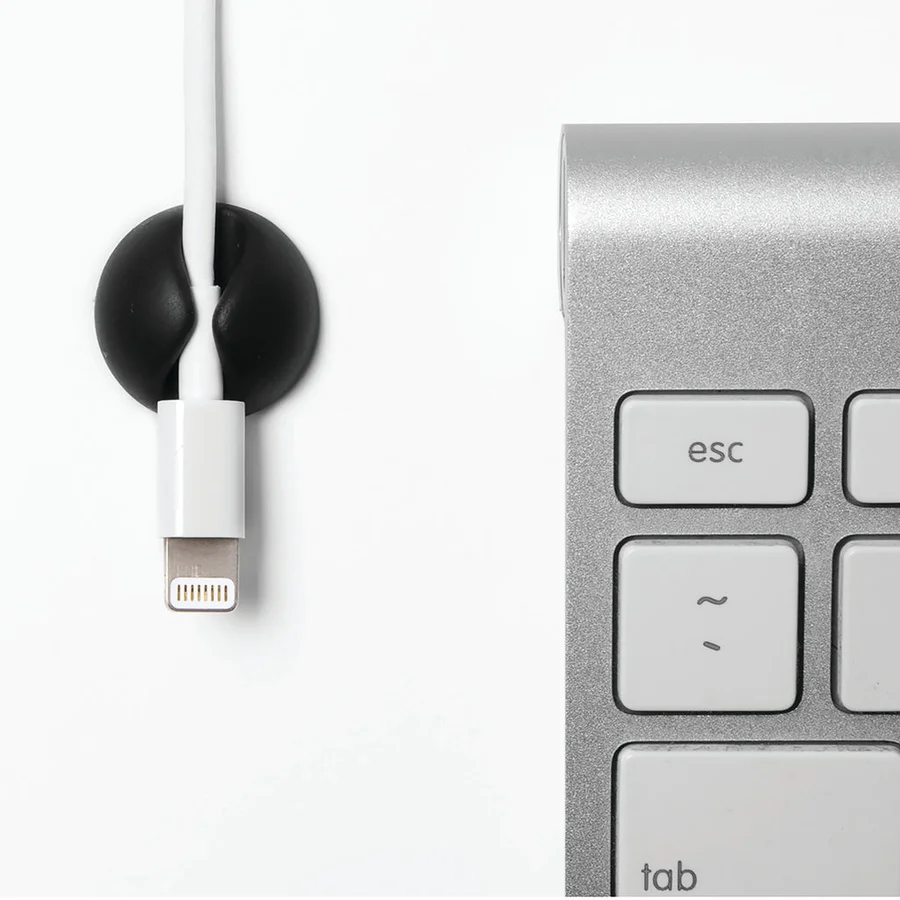
CableDrop is a peel-and-stick cable holder. It is listed in Regular and Mini versions, and the difference matters. The Regular version is listed for cable diameters up to 8 to 10 mm. The Mini is listed for up to 4 to 5 mm. Match the version to your cables before you buy, or the holder may not suit them.
The problem it solves is small but constant: a phone charging cable or USB lead that slips off the desk and falls behind it every time you unplug the device. A holder stuck to a compatible surface near the desk edge keeps the connector end where you can reach it.
Choosing between Regular and Mini
- Mini (listed up to 4 to 5 mm): for thinner cables. Some phone charging and small USB cables may fall in this range, but measure to be sure.
- Regular (listed up to 8 to 10 mm): for thicker cables, such as heavier braided leads or some laptop charging cables. Some laptop cables may be thicker than this range, so measure first.
If your cables are not labeled with a diameter, measure them with a ruler or calipers rather than guessing from the look.
What to watch
CableDrop relies on adhesive, so the surface matters. Check that your desk surface suits peel-and-stick mounting, and try a spot you do not mind marking if you are unsure. It is a cable holder, not a concealment system, so it will not hide a power strip. For dock and charging cable planning, our laptops and connectivity coverage can help.
How the three work together
These products are complementary, not interchangeable. A practical order of work looks like this:
- Plan the power. Decide where the power strip will live. Confirm that it fits the SIGNUM's 70×16 cm footprint along with any bricks, and that the total stays under the listed 10 kg load.
- Mount the tray. Position it so the strip's switch and spare sockets remain reachable.
- Route and bundle. Run cables from each device down to the tray and group them with ONE-WRAP Ties.
- Coil slack inside the tray. Keep excess length off the floor and away from feet and chair wheels.
- Add CableDrop last. Place holders for the cables you plug and unplug daily, such as phone, earbuds or a controller.
If you run a microphone, audio interface or capture device, plan their cables separately so you can reach them easily when you adjust or swap gear.
Trade-offs to weigh
- Permanence versus flexibility. A mounted tray is the most permanent of the three, so check its mounting method before committing. Ties are reusable. Adhesive holders sit in between: easy to place, but repositioning depends on the adhesive and surface.
- Concealment versus access. A tray hides bulk but puts sockets under the desk, where they are less convenient. CableDrop does the opposite, keeping a few connectors visible and reachable.
- Load and size limits. The tray has a listed 10 kg maximum and fixed dimensions. CableDrop has listed diameter limits for each version. The ties are sold as a bundling product. If you want them to support any weight, check the manufacturer's listing for a rated load first. Otherwise, use them only for bundling.
- Desk material. IKEA says the SIGNUM is unsuitable for glass tabletops, and some finishes may not suit adhesive holders. Ties wrap around cables rather than attaching to the desk, so desk material is not a factor for them.
- Standing desks. First confirm the SIGNUM's mounting method works with your height-adjustable desk's underside and motor components. If it does, the tray will travel with the desktop. The cables to the wall and to any floor-standing PC then need enough slack for the full height range. Bundle them loosely and check at both extremes.
Compatibility checklist
- Desk top material: Not glass if you plan to use the SIGNUM. Confirm your surface suits peel-and-stick holders.
- Underside clearance: At least a 70 cm stretch free of frames, drawers and motors, with room for its 16 cm dimension.
- Mounting: Check the SIGNUM's mounting method and hardware against your desk thickness and material.
- Total weight: Power strip, bricks and coiled cables combined under the 10 kg listed load.
- Cable diameter: Measure cables for CableDrop. Mini is listed for up to 4 to 5 mm and Regular for up to 8 to 10 mm.
- Cable length: Enough length to reach the tray without strain, plus slack for monitor arms or desk height changes.
- Regional availability: The SIGNUM details come from IKEA UK, so confirm a local listing.
- Socket access: You can still reach the power strip switch once it is mounted.
Buying advice for desk cable management
Count your cables first. List every device on the desk, then mark which cables stay put and which you unplug regularly. The fixed ones go into the tray and bundles. The ones you unplug often are candidates for CableDrop.
Buy for the setup you will have next. If you are likely to add a second monitor, a dock or a microphone, leave space in the tray and buy extra ties. Reusable ties make later changes easier.
Do not fix electrical problems with organizers. Cable management products tidy cables. They do not replace safe electrical installation. Do not daisy-chain power strips to reach a tray, keep power bricks where heat can escape, and replace damaged or frayed cables rather than hiding them in a bundle.
Shorter cables can help. Much desk clutter is excess length. Where it makes sense, a shorter peripheral or display cable can reduce what you need to coil. Wireless peripherals also remove runs entirely; see our keyboards and mice guides if you are weighing that option.
Check details at purchase. Specifications, sizes and availability can change, so confirm current listings for dimensions, load ratings and versions before buying.
Frequently asked questions
What is the best cable management for a desk overall?
There is no single best product because the main options solve different problems. An under-desk tray like the IKEA SIGNUM handles power strips and slack, reusable VELCRO ONE-WRAP Ties bundle cable runs, and Bluelounge CableDrop keeps frequently used cables at the desk edge. Most desks benefit from combining them.
Can I use the IKEA SIGNUM on a glass desk?
No. IKEA states the SIGNUM is unsuitable for glass tabletops. On a glass desk, consider bundling with reusable ties and check whether your setup offers another safe place for a power strip.
Which Bluelounge CableDrop size should I buy?
Measure your cables. The Mini is listed for cable diameters up to 4 to 5 mm, and the Regular is listed for up to 8 to 10 mm. Also confirm your desk surface suits peel-and-stick adhesive.
Are VELCRO ONE-WRAP Ties fire rated?
Do not assume so. The general ONE-WRAP Ties are a cable bundling product. Fire-rating claims for separate industrial ONE-WRAP variants should not be applied to them.
Research-led guides for better PC setups. Read how we select and check gear.