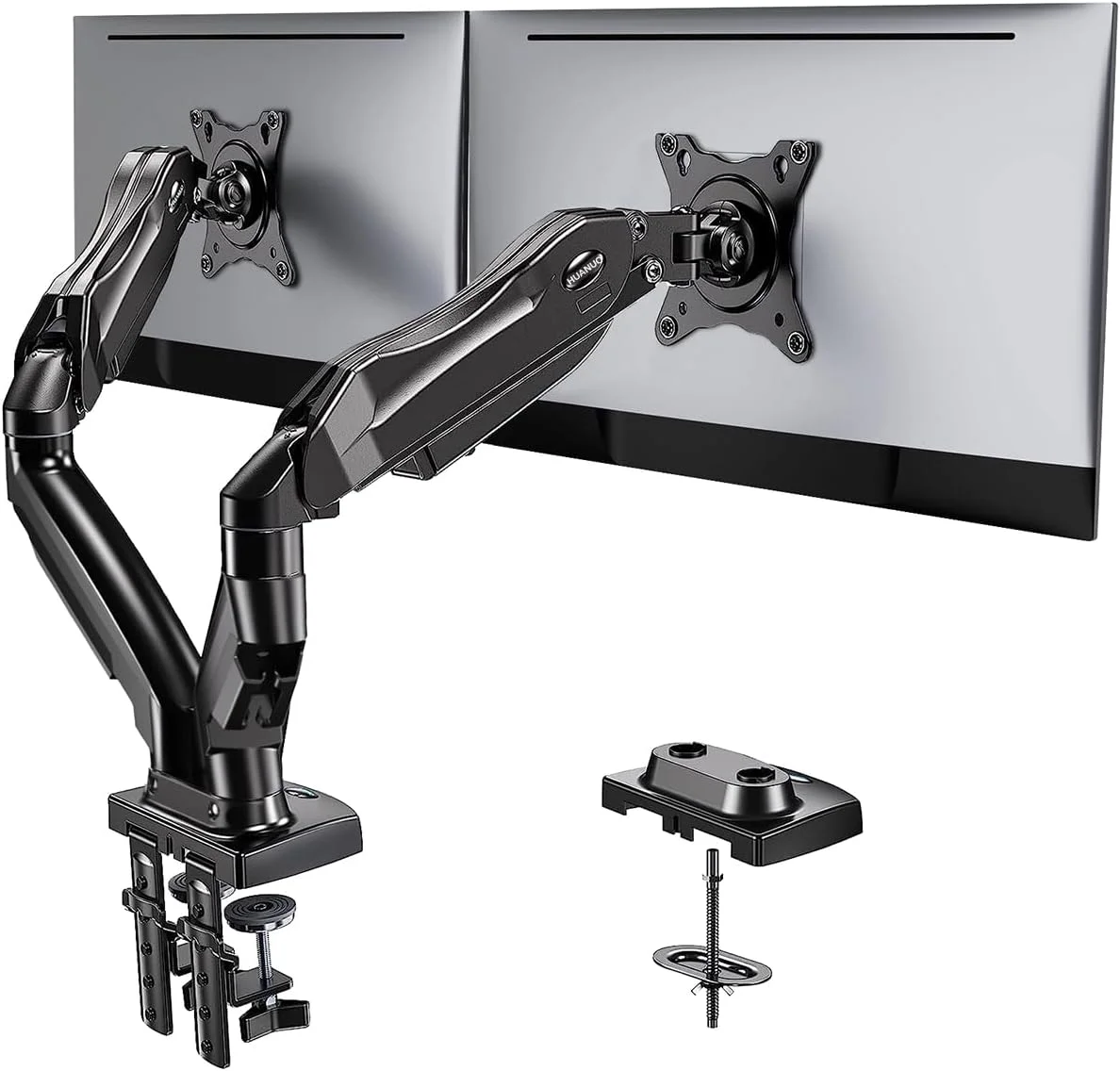
For two 27-inch or smaller monitors weighing 7 to 20 lb each, the Ergotron LX Dual Side-by-Side Arm is the pick here with a listed reach figure: 25 inches of maximum extension. The HUANUO HNDS6 covers 13 to 32-inch screens and panels as light as 4.4 lb, and it lists both C-clamp and grommet installation. The VIVO STAND-V002 suits buyers who want detachable plates and fine height alignment. Confirm weight, VESA pattern and desk fit first.
If you run two monitors of 27 inches or smaller and each weighs between 7 and 20 lb without its stand, start with the Ergotron LX Dual Side-by-Side Arm. Its 25-inch maximum extension is the only reach figure among the specifications we cite for these three arms. If reach matters on the other two, check their listings. If one screen is very light or you have a panel up to 32 inches, look at the HUANUO DS6 (HNDS6). It lists a wider size span and a lower weight floor, and it lists both C-clamp and grommet installation. If you want to hang each monitor on its own detachable plate and fine-tune the heights so the two screens line up, consider the VIVO STAND-V002. Screen size alone will not tell you which one fits. Monitor weight, mounting pattern and your desk matter more.
These recommendations are based on manufacturer specifications. They are not measured rankings. We have not installed, loaded or timed any of these arms. Our editorial policy explains how we research and write guides like this one.
Quick picks
| Product | Best for | Listed strength | Check before buying |
|---|---|---|---|
| Ergotron LX Dual Side-by-Side Arm | Two monitors up to 27 inches that need to come forward on a deep desk | 25-inch maximum extension; 7 to 20 lb per display | The weight range is per display, not combined. Confirm that your exact finish or SKU includes the mounting hardware you need. |
| HUANUO DS6 / HNDS6 | Mixed setups, lighter screens, or panels up to 32 inches | 13 to 32-inch displays; 4.4 to 19.8 lb per arm; C-clamp or grommet; listed tilt of +85/-50 degrees | Regional HUANUO pages differ. Confirm the exact HNDS6 SKU and read its installation manual. |
| VIVO STAND-V002 | Aligning two screens precisely and easier plate-first mounting | Detachable VESA plates; 0.5-inch vertical adjustment on each plate; the V002/W version fits 13 to 30-inch displays | Check the listing or manual for the per-display weight capacity. Confirm the size range for your finish, and do not confuse this arm with the V032 or V038 variants. |
How we chose these arms
A dual monitor arm has a narrow job. It has to hold two specific monitors at a usable height and distance, attach securely to your specific desk, and stay in position. That makes fit the main selection criterion, so we built this shortlist around listed compatibility rather than marketing language.
For each arm, we looked for four things in the manufacturer's own listing:
- Per-display weight range. This is the key number on a monitor arm spec sheet. It tells you whether each monitor falls inside the range the arm is designed to hold.
- Supported screen size range. This is useful as a first filter. However, two 27-inch monitors can differ a lot in weight, so size does not settle the question.
- Listed adjustment. We noted extension, tilt, rotation and fine height adjustment where the manufacturer lists them.
- Installation method. We noted clamp and grommet options where they are listed, because the arm has to suit your desk as well as your monitors.
Some details are not covered by the specifications we cite here, such as the VIVO's weight capacity or the Ergotron's mounting method. That does not mean the arm lacks the feature. It means you should confirm it on the product page or in the manual before you buy, and we flag each of these checks below.
The three arms in detail
Ergotron LX Dual Side-by-Side Arm
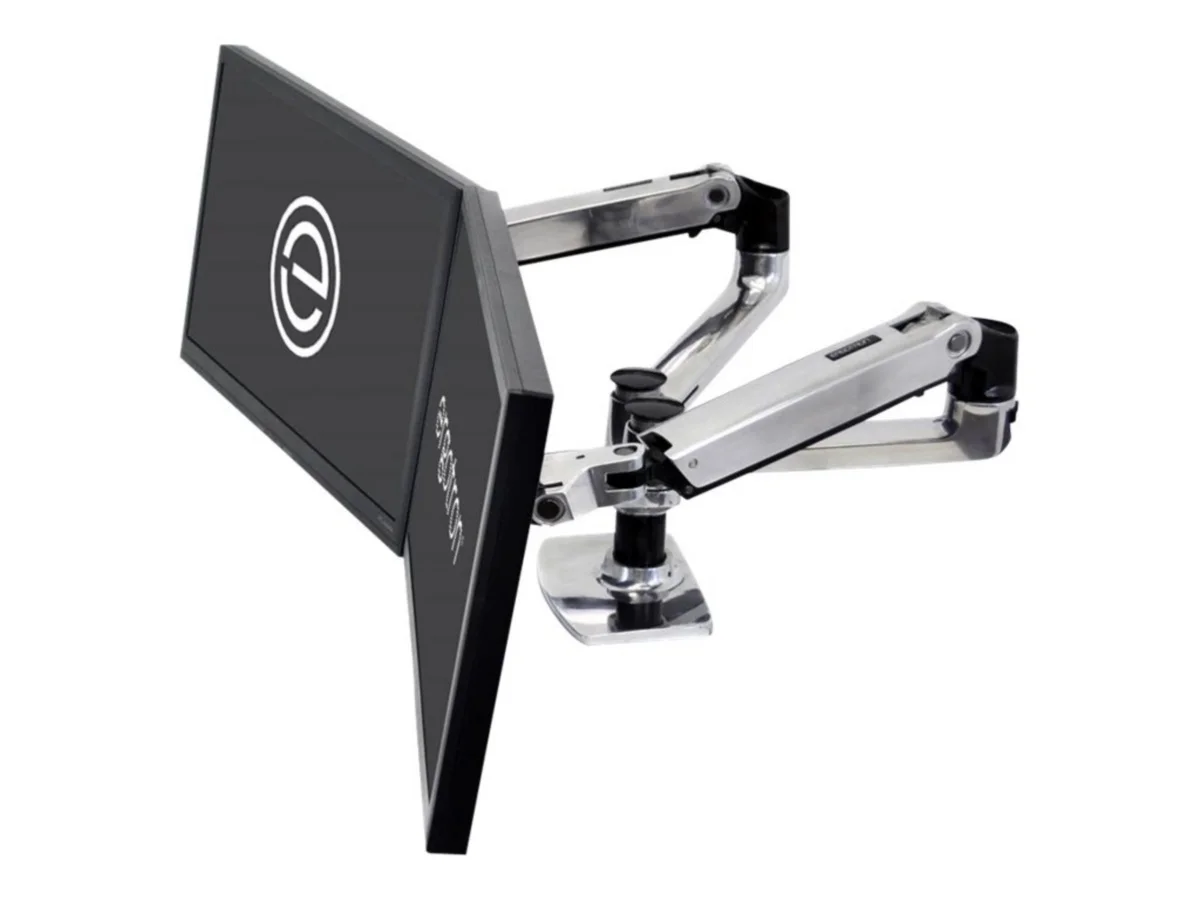
Best for: two monitors up to 27 inches, each weighing 7 to 20 lb, on a desk where you want to pull the screens forward or push them back.
Ergotron designs this arm for two displays up to 27 inches. It lists a weight range of 7 to 20 lb for each display and a maximum extension of 25 inches. That extension figure is the main reason to choose it. On a deep desk, or one where you sometimes lean back and sometimes work up close, reach determines whether the arm can bring the screens to you. If you need that kind of travel, a published extension figure lets you check it before buying.
The 7 lb minimum matters too. A light monitor can fall below it, and a monitor outside the listed range is outside what the manufacturer specifies. Weigh your screens before ordering rather than assuming they qualify.
Two caveats come from the listing itself. First, the 7 to 20 lb range applies to each display, not to both combined. Two 10 lb monitors are within range. A 22 lb monitor is not, even if you pair it with a light second screen and the combined total stays under 40 lb. Second, check the exact finish or SKU you are buying to confirm which mounting hardware comes in the box. Do not assume every version ships with the same hardware, and confirm the clamp or grommet option your desk needs.
HUANUO DS6 / HNDS6
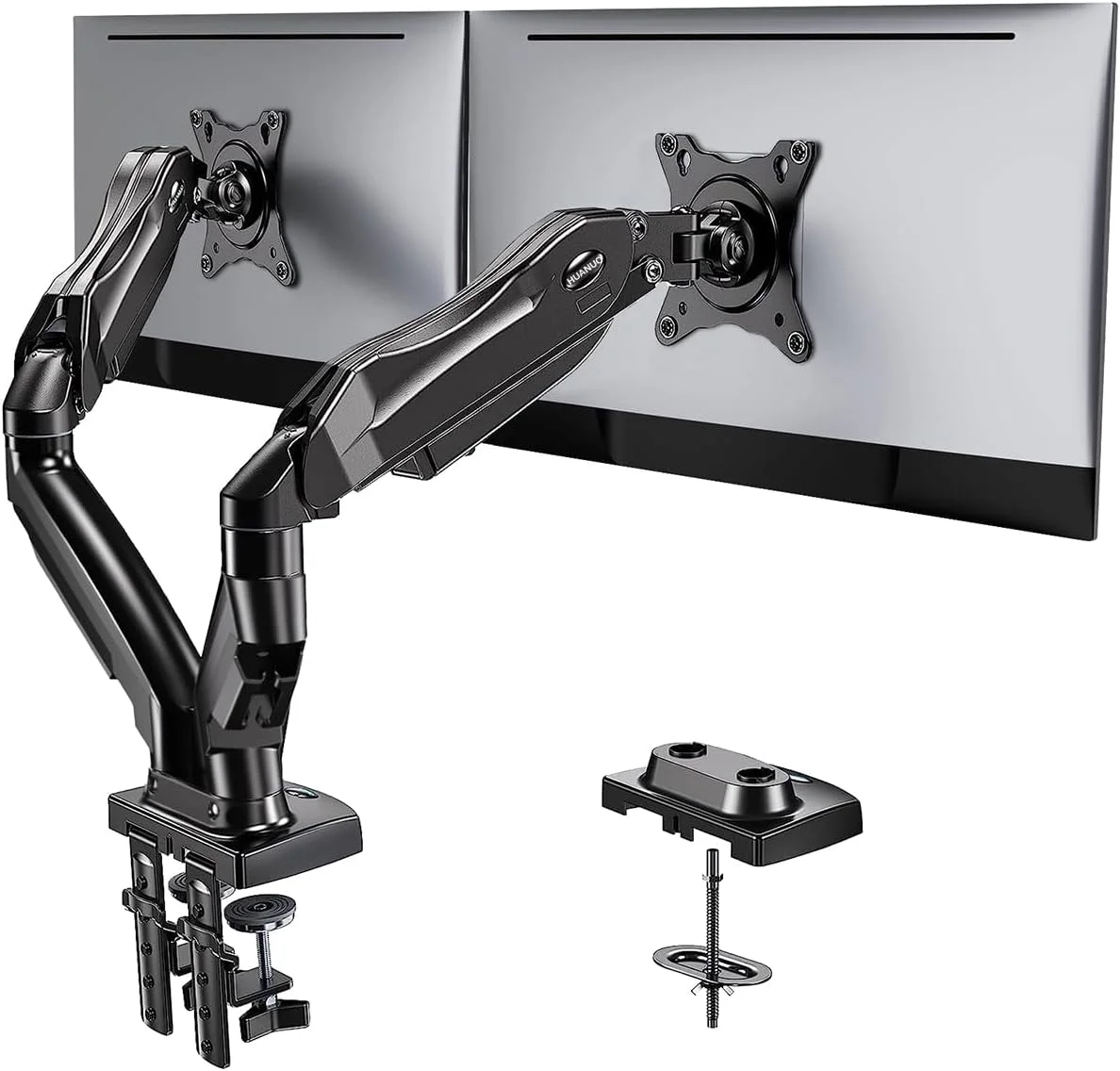
Best for: setups with one larger screen up to 32 inches, lighter displays, or desks where you need a choice between clamp and grommet mounting.
HUANUO lists the HNDS6 for two displays from 13 to 32 inches, with a per-arm weight range of 4.4 to 19.8 lb. Of the three arms here, it has the widest listed size span. Its 4.4 lb minimum is also lower than the Ergotron's 7 lb floor, which makes it the more plausible of those two if one of your screens is light. It lists both C-clamp and grommet installation. That helps if your desk has a cable hole you want to use, or an edge that cannot take a clamp.
The listed tilt range is +85/-50 degrees, and the listing describes 360-degree rotation. Those figures matter if you want a screen steeply angled or turned to portrait. Check the manual to confirm what the rotation figure refers to on this design. Also make sure your desk has the vertical and side clearance for a rotated panel. If you need a specific reach, check the HNDS6 listing for its extension figure, which is not among the specs we cite.
The 32-inch ceiling needs some care. Large panels can approach or exceed the 19.8 lb per-arm limit, so a monitor being within the size range does not mean it is within the weight range. Weigh the specific model without its stand. HUANUO's regional pages also differ, so match the exact HNDS6 SKU and read its installation manual rather than relying on a listing for a similar model.
VIVO STAND-V002
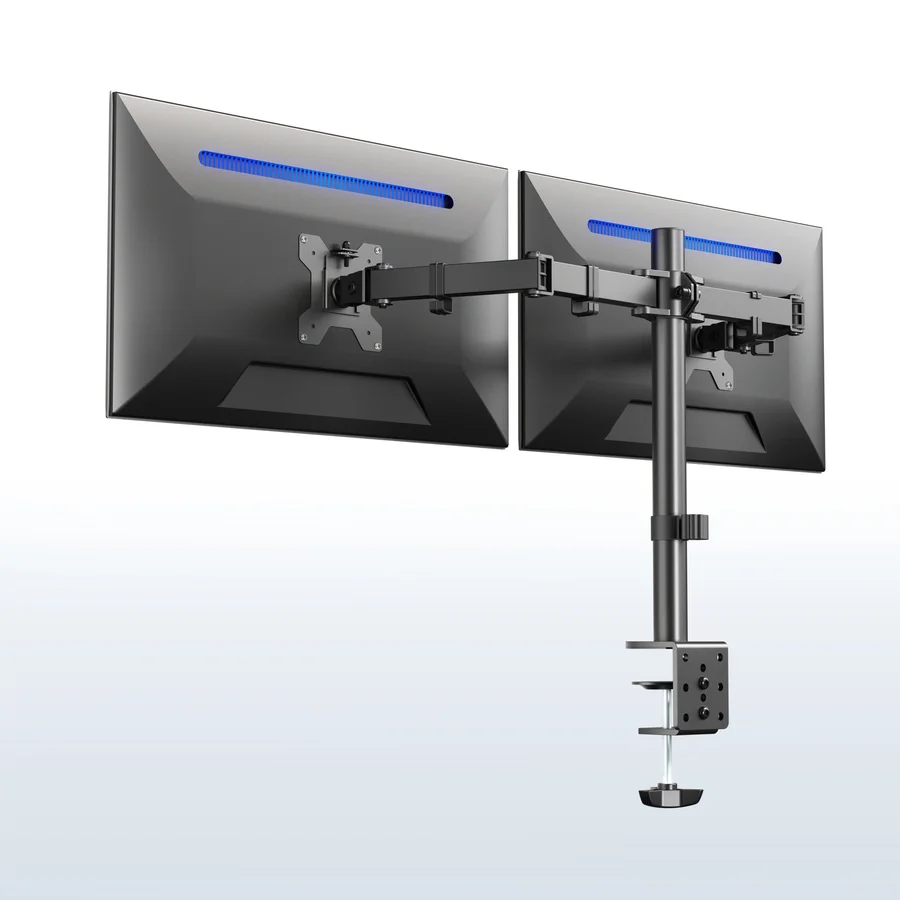
Best for: people who want to align two screens precisely, or who prefer to attach plates to the monitors before hanging them on the arm.
VIVO lists the STAND-V002/W version as fitting displays from 13 to 30 inches. If you are buying a different finish, confirm that the same size range applies. The listing also shows detachable VESA plates and 0.5 inch of vertical adjustment on each plate.
Detachable plates can make setup easier. In general, they let you fix a plate to the back of the monitor while it lies on a table, then hang the monitor on the arm, rather than holding a screen in mid-air while you drive screws. Check the VIVO manual for the exact procedure. The per-plate vertical adjustment addresses a common dual-monitor annoyance, where two screens sit at slightly different heights and the top edges or bezels do not line up.
Before ordering, check the listing or manual for this arm's per-display weight capacity, its installation method (clamp, grommet or both) and its reach. Those details are not among the specifications we cite here. The VIVO page also shows V032 and V038 variants. The 32-inch and 38-inch support belongs to those variants, not to the V002. If your monitor is larger than 30 inches, the V002 is not the listed fit.
Trade-offs between the three
- Reach vs. range. The Ergotron lists a 25-inch maximum extension, but it caps screen size at 27 inches and has a 7 lb minimum. The HUANUO lists a wider size span and a lower weight floor. Check its listing for an extension figure if reach matters to you.
- Size range vs. weight headroom. The HUANUO's 32-inch upper limit sounds generous, but its 19.8 lb per-arm ceiling is the real constraint for large panels. The Ergotron's 20 lb ceiling is almost the same, so neither arm is a heavy-monitor specialist.
- Fine alignment vs. details to confirm. The VIVO lists per-plate height adjustment and detachable plates, which help with alignment and installation. You will need to confirm its weight capacity and mounting details yourself.
- Installation flexibility. The HUANUO is the one pick here whose cited specs list both C-clamp and grommet options. The Ergotron and VIVO may offer either or both, so check the included hardware for your exact SKU.
Compatibility checklist before you buy
- Weigh each monitor without its stand. Use the spec sheet's "without stand" figure if it gives one. Otherwise, remove the stand and weigh the panel. Compare each monitor against the per-display range, not against a combined total.
- Confirm the VESA pattern. Find the mounting hole spacing on the back of each monitor and check it against the patterns listed in the arm's manual. Also check for curved backs or recessed mounts that might need spacers.
- Check the screen size range. Use it as a filter, not as proof of fit. A monitor can be within the size range and still be outside the weight range.
- Measure your desk. Note its thickness, its material, and whether a frame, drawer, crossbar or lip sits where the clamp would go. Check the clamp's thickness range in the manual, and confirm that your desk material can take clamping pressure.
- Decide between clamp and grommet. A grommet mount needs a suitable hole, or one you are willing to drill. A clamp needs a clear, solid edge.
- Check clearance. Leave space behind the desk for the pole and arms, room above for the monitors at your target height, and room at the sides if you plan to rotate a screen to portrait.
- Confirm the exact SKU. Finishes, regional versions and variants can differ in hardware and specifications, as all three listings here show.
Dual-arm buying advice
Matched monitors are easier. Two identical screens behave the same on identical arms. If you pair a 27-inch main display with a smaller secondary one, each must fall within the per-arm range on its own. You will also likely spend more time leveling them. This is where listed fine height adjustment, like the VIVO's 0.5-inch plate travel, earns its place.
Think about the total load on the desk. Per-display ratings describe what each arm is designed to hold. They say nothing about how your desk handles two monitors cantilevered from one point. Thin tops, glass and hollow-core boards deserve extra caution. If you use a sit-stand desk, check its own load rating and stability with the monitors at full extension. Our desk setup coverage goes further into desk choice and layout.
Plan cables before installation. Two monitors mean two power leads and at least two video cables. Make sure the cables are long enough at full extension and at your highest position. If you run both screens from a laptop, check how many displays your laptop and dock actually support. Our laptops and connectivity guides cover that side.
Use the space you free up. Removing two stands clears the desk surface. That often makes room for a wider keyboard position or a larger mouse area. Our keyboards and mice section can help you fill it well.
Consider whether you need two screens at all. If you mainly want more horizontal space for a single task, a single larger display may suit you better. Dual arms make the most sense when you want two separate screens that you can angle independently.
Which one should you pick
Choose the Ergotron LX Dual Side-by-Side Arm if both monitors are 27 inches or smaller, each weighs 7 to 20 lb, and reach matters to you. It is the pick here with a listed 25-inch maximum extension.
Choose the HUANUO DS6 / HNDS6 if you have a lighter screen, a panel up to 32 inches that still weighs 19.8 lb or less, or a desk where you want grommet installation as an option. Confirm the exact SKU first.
Choose the VIVO STAND-V002 if both screens are 30 inches or smaller and you value detachable plates and per-screen height alignment. The 13 to 30-inch range is listed for the V002/W version, so confirm it for your finish. Verify the weight capacity and mounting method on the listing before ordering.
Whichever arm you choose, weigh your monitors, confirm the VESA pattern, and measure the desk before you buy. Those three checks catch many of the problems that stop an arm from suiting a setup.
Frequently asked questions
Is a dual monitor arm's weight limit for both monitors combined?
For the Ergotron LX Dual and HUANUO HNDS6, the listed weight range applies to each display or arm, not to both together. Check each monitor against that range separately. A heavy monitor does not become compatible because the other one is light. For any other arm, check whether its rating is per display or combined.
How do I find my monitor's weight without the stand?
Look for a weight figure marked "without stand" in the manufacturer's spec sheet. If there isn't one, remove the stand and weigh the panel. Use that figure, not the boxed or with-stand weight, when comparing against an arm's range.
Will a dual monitor arm fit my desk?
It depends on your desk's thickness, its material, what sits underneath the edge, and the clearance behind and above it. Check the clamp's thickness range in the manual. If your desk can't take a clamp, look for a grommet option, such as the one the HUANUO HNDS6 lists.
Can I mount two different monitors on one dual arm?
Yes, provided each monitor falls within the per-arm weight and size range and uses a supported VESA pattern. Mismatched screens may sit at slightly different heights. Per-plate vertical adjustment, like the 0.5 inch listed for the VIVO STAND-V002, can help line them up.
Research-led guides for better PC setups. Read how we select and check gear.