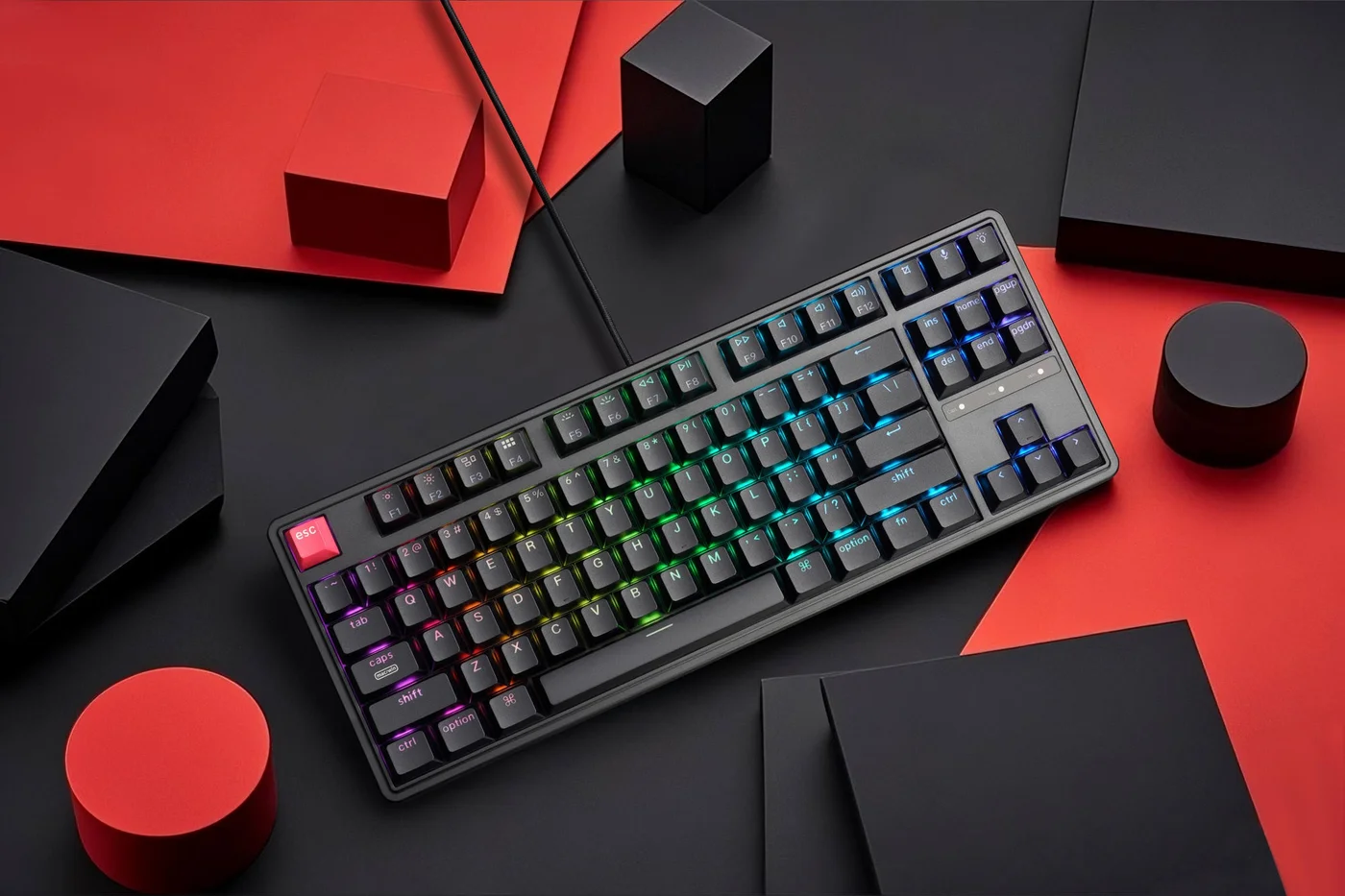
For a wired desk keyboard you can customize later, look at the Keychron C3 Pro 8K. For compact Bluetooth typing, the Royal Kludge RK61 Single Color Backlit is the wireless pick, but confirm connectivity on the exact edition. The Redragon KUMARA K552 suits buyers who want a simple wired tenkeyless board. Check the exact SKU and current price on the retailer listing before buying.
If you want one budget friendly mechanical keyboard that leaves room to grow, start with the Keychron C3 Pro 8K, as long as a wired 80% layout works for you. Keychron lists hot-swappable switches, double-shot PBT keycaps, and QMK and Keychron Launcher support. Together these give you several practical upgrade paths. If you need wireless for a laptop or tablet, the Royal Kludge RK61 Single Color Backlit is the compact Bluetooth option in this guide. The Redragon KUMARA K552 suits buyers who want a straightforward wired 87-key tenkeyless board with a dedicated arrow cluster. We do not list prices because they change often, so check the current price on the retailer listing before deciding. For more boards and accessories, see our keyboards and mice coverage.
These recommendations are based on manufacturer specifications, not measured rankings. We did not perform typing, acoustic or latency tests on any of these keyboards. Each pick is matched to a specific type of buyer rather than placed in a single best-to-worst order.
Quick picks
| Product | Best for | Listed strengths | Check before buying |
|---|---|---|---|
| Keychron C3 Pro 8K | Wired desk setups where you plan to customize later | Hot-swappable switches, QMK and Keychron Launcher support, gasket mount, double-shot PBT keycaps, selectable polling up to 8000 Hz | Make sure the listing is the C3 Pro 8K, not the original C3 Pro. It is listed as a wired USB-C keyboard. |
| Royal Kludge RK61 Single Color Backlit | Compact wireless typing with a laptop or tablet | 60% 61-key US layout described as a compact Bluetooth keyboard, plus Red, Blue or Brown switch choices | Arrow keys work through Fn shortcuts. Confirm connectivity and hot-swap support for the exact edition you are buying. |
| Redragon KUMARA K552 | A simple wired tenkeyless board with dedicated arrows | Wired 87-key TKL, Outemu Red switches listed, hot-swappable with Outemu switches | The listed version has a rainbow backlight. Do not assume RGB, and do not assume MX-style switch compatibility, because K552 variants differ. |
How we chose these keyboards
Cheap mechanical keyboards often look alike in product photos. We compared the specifications that change daily use: layout, connectivity, whether the switches can be replaced, and keycap material. We left out anything we could not confirm from the manufacturer's own product or comparison pages. You can read more about how we work in our editorial policy.
Two limits apply throughout. First, we have not typed on, recorded or measured these boards, so we make no claims about sound, feel or responsiveness. Second, several of these names cover more than one version. The C3 Pro and C3 Pro 8K are different products. The RK61 product page mixes data for the original and a newer edition. The K552 comes in several variants. Where a detail depends on the version, we say so and tell you what to confirm.
The three keyboards in detail
Keychron C3 Pro 8K: best for wired buyers who want upgrade options
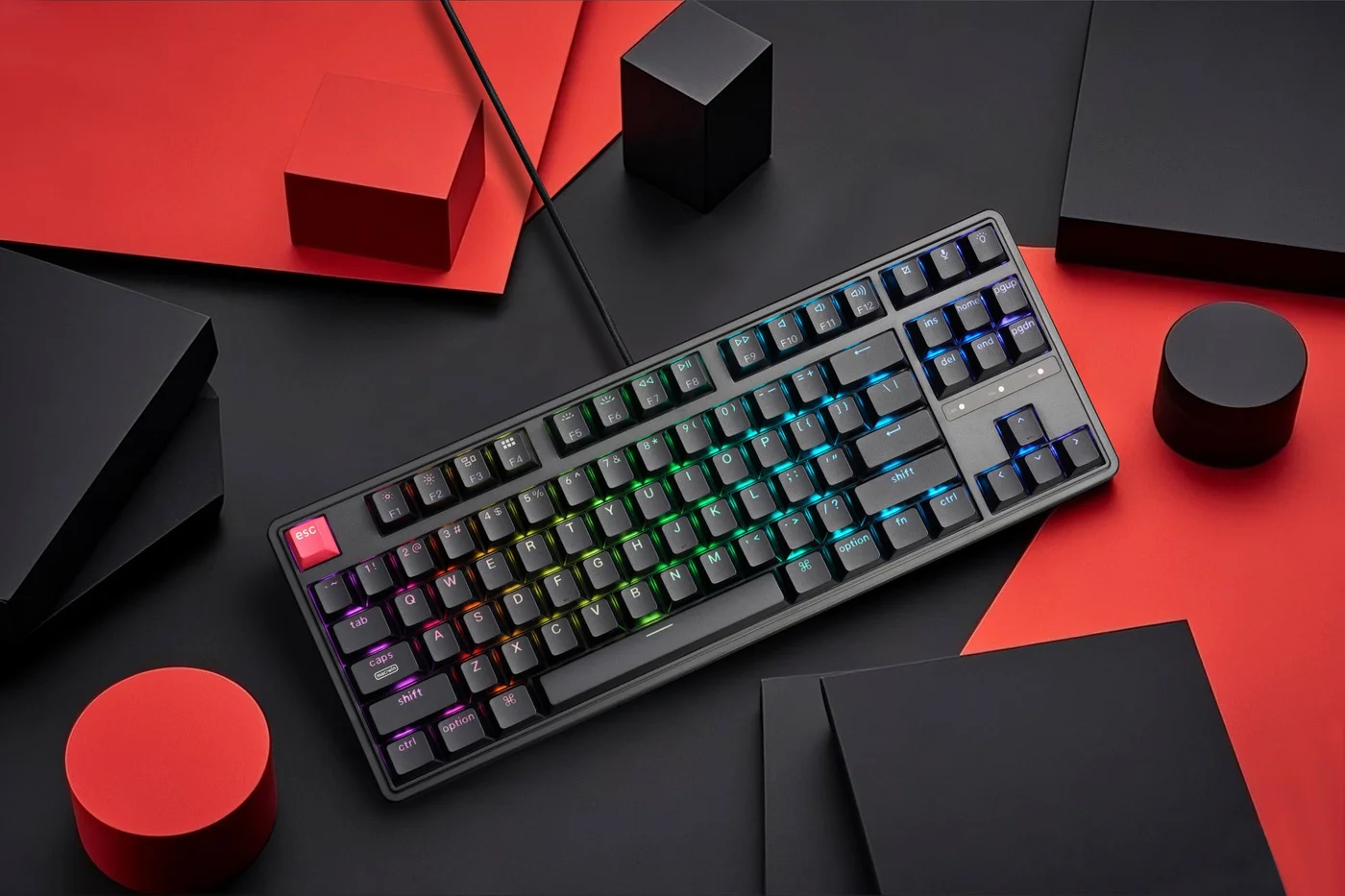
The C3 Pro 8K is a wired 80% tenkeyless board with an ANSI layout and a USB-C connection. Keychron lists hot-swappable switches, so you can change switches later without soldering. Check which switch types the sockets accept before you buy replacements. The board supports QMK and Keychron Launcher for remapping and configuration.
It also uses a gasket mount, a design in which the internal plate sits on gaskets rather than being screwed rigidly to the case. Gasket mounting is commonly chosen to soften the typing feel, but we have not tested how this particular board feels or sounds.
The keycaps are double-shot PBT, which matters on a budget board. PBT tends to resist the shiny, worn look that ABS keycaps can develop over time. Double-shot legends are molded into the keycap rather than printed on the surface, so they are far less prone to wearing away than printed legends.
The headline spec is selectable polling rates up to 8000 Hz. Polling rate describes how often the keyboard reports to the computer. It is not the same as measured end-to-end latency, which also depends on switch design, firmware, your system and your display. Treat 8000 Hz as an option you can enable, not as proof that this keyboard feels faster than another.
- Strengths: hot-swap sockets, QMK remapping, double-shot PBT keycaps, gasket mount, and dedicated arrow and navigation keys in an 80% tenkeyless footprint.
- Watch for: it is listed as a wired USB-C board, and Keychron's listing for this model does not show a wireless option. The original C3 Pro is a different product, so read the listing title and model name closely.
Royal Kludge RK61 Single Color Backlit: best for compact Bluetooth use
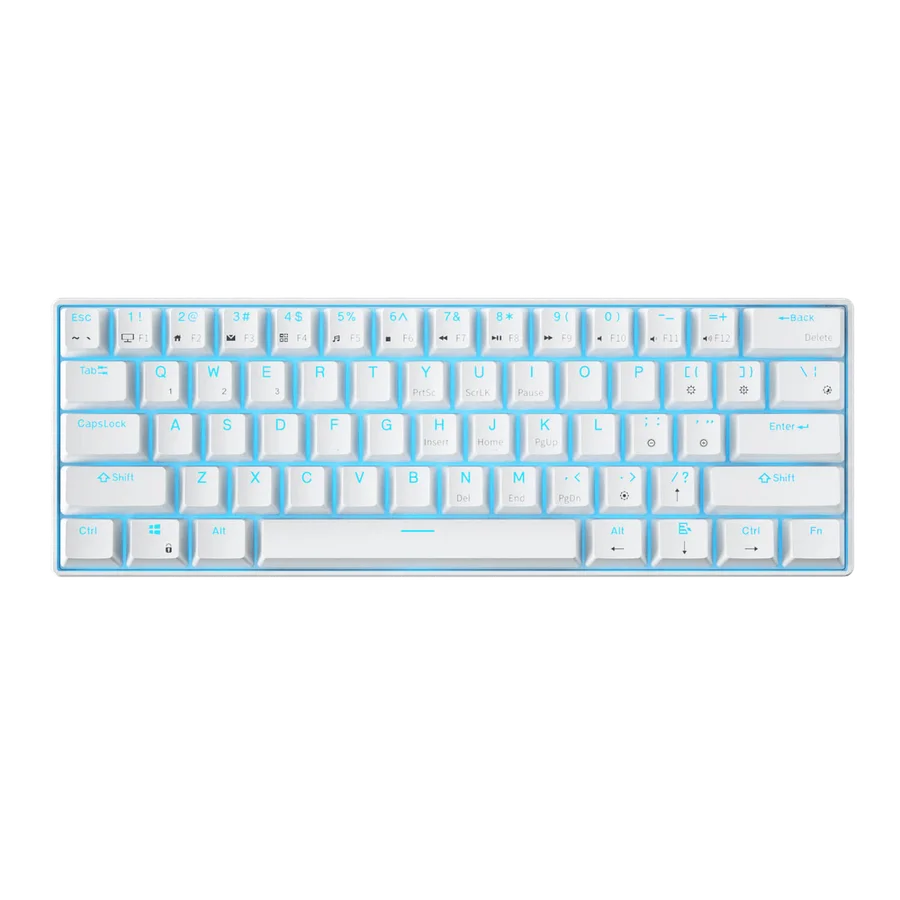
The RK61 is a 60% board with 61 keys in a US layout, and Royal Kludge describes it as a compact Bluetooth mechanical keyboard. That makes it the only wireless pick here, and the best fit for a laptop, a tablet or a desk with very little free space. You can choose Red, Blue or Brown switches.
The trade-offs come from the 60% format and the materials. There are no dedicated arrow keys, so arrows are reached through Fn shortcuts. That is workable for typing prose, but it can slow down spreadsheet navigation, code editing and other arrow-heavy tasks. The keycaps are ABS, which may develop shine with heavy use and are a likely candidate for replacement later.
The manufacturer page mixes data for the original RK61 and a newer edition. For that reason, we are not making claims about wired modes, other wireless modes or hot-swap support. If any of those matter to you, check them on the exact SKU before ordering. Also confirm that the listing you are looking at still specifies Bluetooth.
- Strengths: Bluetooth, very small footprint, three switch options.
- Watch for: Fn-layer arrows, ABS keycaps, and edition differences on connectivity and hot-swap that you need to check on the listing.
Redragon KUMARA K552: best for a simple wired TKL
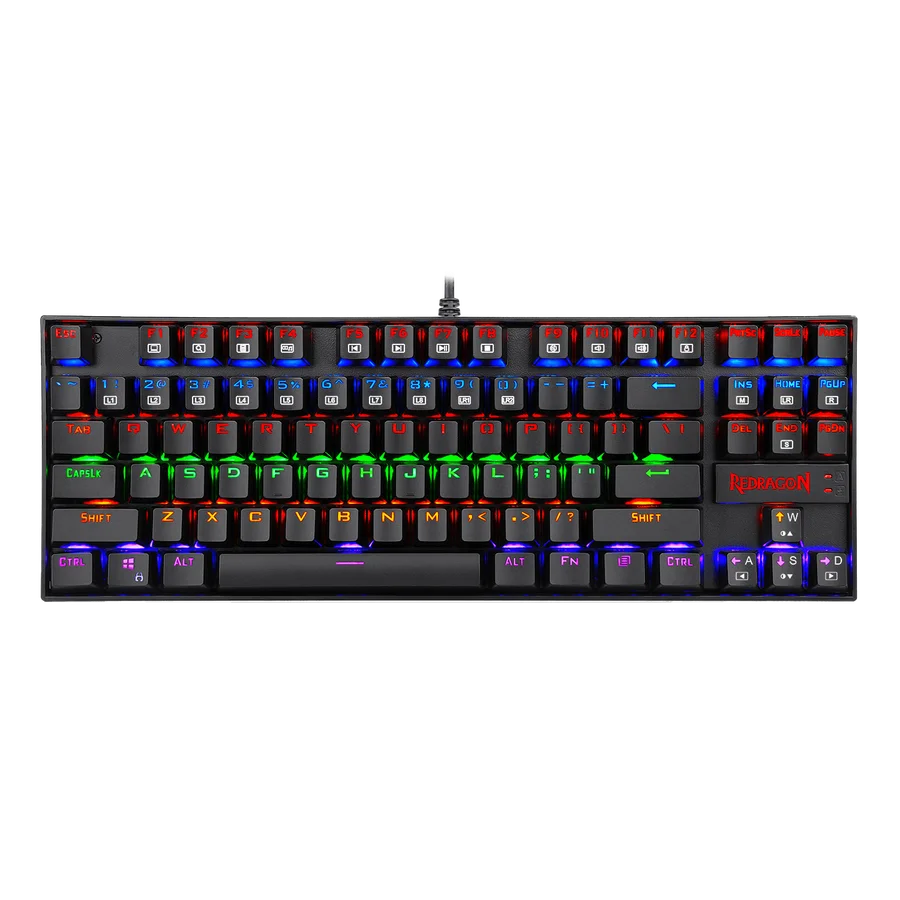
The K552 is a wired tenkeyless board with 87 keys. That means a full main section, a function row, and dedicated arrow and navigation clusters, without a number pad. Redragon's comparison page lists the version covered here with a rainbow backlight and Outemu Red switches, and describes it as hot-swappable with Outemu switches.
That last detail matters. Hot-swap compatibility is listed specifically for Outemu switches, so do not assume that every popular MX-style switch will fit or work correctly. The lighting on this version is listed as a rainbow backlight. Do not assume RGB or individually programmable key colors unless the exact listing you are buying from states them. Because several K552 variants exist, match the listing to the version you want.
- Strengths: full 87-key TKL arrangement, wired connection, and Outemu switch swapping on the listed version.
- Watch for: switch compatibility listed only for Outemu, a rainbow backlight rather than RGB, and variant confusion between listings.
The trade-offs that matter
At this end of the market, every board gives something up. Knowing what you can live without makes the choice easier.
- Wireless versus customization: the RK61 is the only Bluetooth pick. The C3 Pro 8K has the clearest listed customization, with hot-swap, QMK and PBT keycaps, but it is wired. The RK61's listings do not confirm hot-swap or remapping software. If you want both wireless and those upgrade features, check the exact RK61 edition carefully or plan to compromise.
- Footprint versus arrow keys: the 60% RK61 saves the most desk space but moves arrows to a function layer. The 80% C3 Pro 8K and the 87-key K552 keep dedicated arrows.
- Keycap quality versus upgrade budget: the RK61 uses ABS keycaps. If you plan to replace keycaps eventually, set aside money for that, and check that a replacement set covers the RK61's bottom-row and modifier key sizes.
- Switch freedom: the C3 Pro 8K lists hot-swap support. The K552 lists hot-swap with Outemu switches. The RK61's hot-swap status depends on the edition. These are three different levels of listed flexibility. For any of them, confirm socket compatibility before buying switches.
- Specs versus experience: an 8000 Hz polling option is a real feature, but it does not tell you how a keyboard feels. As general guidance, switch type, keycap material and layout are more likely to shape daily comfort than polling rate.
What to prioritize on a budget
Spending wisely on a cheap mechanical keyboard means paying for features that are hard to add later and skipping those that are easy to change.
Layout first
Layout is the one thing you cannot fix after buying. Think about how often you use arrows, Home, End, Page Up and Page Down. If you use them constantly, a TKL or 80% board will suit you better than a 60%. If you mostly type text and need space for a mouse, a 60% can free up room on a small desk and let you keep the mouse closer to your body. For more ideas on arranging a compact workspace, see our desk setup guides.
Hot-swap sockets
Hot-swap support lets you change switches without soldering. On a budget board, that turns a switch choice you regret into a fixable problem. Always check which switches the sockets accept, as the K552's Outemu-specific listing shows.
Keycap material
Double-shot PBT, as listed for the C3 Pro 8K, is generally the more durable choice. ABS is common on cheaper boards and is not a dealbreaker, but expect to treat it as replaceable.
Switch type
As general category guidance, Red switches are usually linear, Blue switches clicky, and Brown switches tactile. Exact behavior varies by switch maker. If you share a room or join many calls, clicky Blue switches are often the riskiest choice.
Software and remapping
QMK and Keychron Launcher support on the C3 Pro 8K makes remapping practical, for example to move rarely used keys or build layers. For the other boards, check the listing or manufacturer page for your exact model to see what remapping is available.
Compatibility checklist
- Exact SKU: confirm C3 Pro 8K rather than C3 Pro, the RK61 edition you want, and the K552 variant with the switches and lighting you expect.
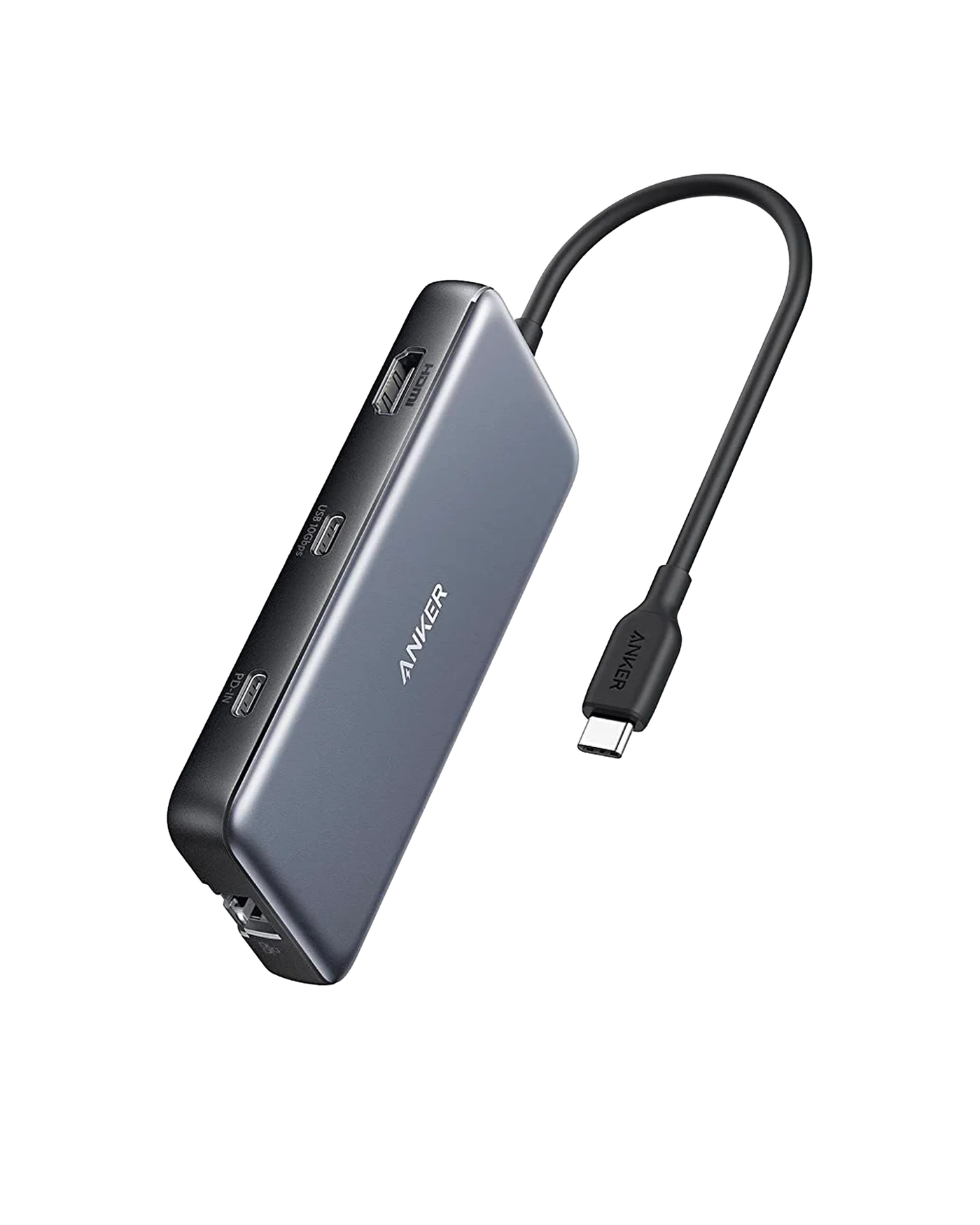
- Connection: the C3 Pro 8K and K552 are wired, and the C3 Pro 8K uses USB-C. Check that your computer has a free port that suits the cable you will use, or plan for an adapter or hub. Our laptops and connectivity section covers ports and hubs.
- Bluetooth: for the RK61, make sure your device supports Bluetooth keyboards, and check the listing to see whether that edition offers any wired fallback.
- Layout standard: the C3 Pro 8K is ANSI and the RK61 is a US layout. If you are used to ISO or another regional layout, the Enter key, left Shift and symbol positions will differ.
- Switch compatibility: before buying replacement switches, check what the sockets accept. For the K552, the listed compatibility is Outemu.
- Keycap fit: compact and 80% boards may use non-standard bottom-row or modifier sizes. Compare keycap set contents with your board before ordering.
- Polling rate: if you plan to use 8000 Hz on the C3 Pro 8K, check how to select it. As general guidance, very high polling rates can add system load on some computers, so lower settings remain an option.
- Current price: check the live price and return policy on the retailer listing. We do not publish or guarantee prices.
Which one should you buy?
Choose the Keychron C3 Pro 8K if your keyboard stays at one desk and you want the strongest listed foundation for later changes. It offers hot-swap switches, QMK remapping and double-shot PBT keycaps in a layout that keeps dedicated arrows.
Choose the Royal Kludge RK61 Single Color Backlit if wireless and a small footprint matter more than dedicated arrow keys or keycap quality, and you are comfortable confirming edition details before you buy.
Choose the Redragon KUMARA K552 if you want a simple wired 87-key TKL, are happy with the listed Outemu Red switches, and do not need RGB lighting or broad switch compatibility.
Whichever you pick, the most common budget mistake is buying the wrong version of the right keyboard. Check the model name, connectivity, switch type and current price on the listing before you buy.
Frequently asked questions
Is an 8000 Hz polling rate worth it on a budget mechanical keyboard?
It is a listed, selectable feature on the Keychron C3 Pro 8K, but polling rate is not the same as measured end-to-end latency. As general guidance, layout, switches and keycaps are more likely to affect daily comfort, so treat 8000 Hz as a bonus rather than the main reason to buy.
Are ABS keycaps a dealbreaker?
No. ABS keycaps, like those listed for the RK61, are common on affordable boards. They may develop shine with heavy use, so plan to replace them eventually and check that a replacement set fits the board's layout.
Can I put any switch into a hot-swappable keyboard?
Not necessarily, because socket compatibility varies. Redragon lists the K552 as hot-swappable with Outemu switches, so do not assume every MX-style switch will fit. Check the listed compatibility for your exact model first.
Is a 60% keyboard practical for everyday work?
It can be for typing-heavy work and small desks. On the RK61, arrow keys are accessed through Fn shortcuts, which can slow spreadsheet, coding and editing tasks. If you use arrows constantly, an 80% or TKL board is easier.
Research-led guides for better PC setups. Read how we select and check gear.