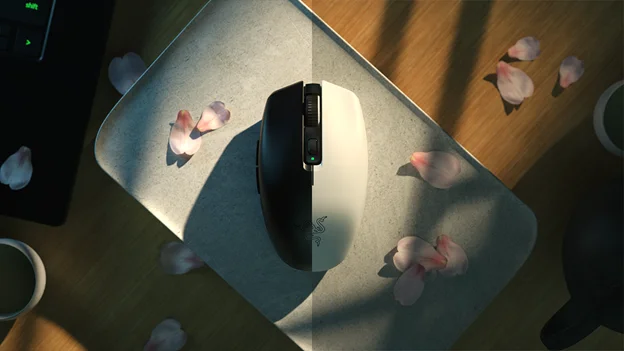
For a desktop-only setup with one receiver and one AA battery, look at the Logitech G305 LIGHTSPEED. For Bluetooth plus 2.4 GHz and the highest listed battery figures of the three, consider the Razer Orochi V2. For dual modes and an adjustable AAA battery setup, check the SteelSeries Rival 3 Wireless Gen 2. Always confirm current prices yourself.
If you mainly game at a desktop and want the simplest setup, start with the Logitech G305 LIGHTSPEED. It uses one AA battery and a LIGHTSPEED wireless connection, and Logitech rates it at up to 250 hours per battery. If you also carry a laptop and want Bluetooth as a backup connection, the Razer Orochi V2 offers both Bluetooth and 2.4 GHz HyperSpeed. Razer also lists the highest battery figures of the three. The SteelSeries Rival 3 Wireless Gen 2 sits between them. It has dual connection modes, 100% PTFE feet and a two-AAA design that can run on a single battery if you want to reduce weight.
One note before the details: prices on budget mice change often. This guide does not quote prices. Check the current price of each model against your own budget before deciding. All three are candidates to compare, not picks verified under a fixed price. For more options in this category, browse our keyboards and mice coverage.
Quick Picks at a Glance
| Product | Best for | Manufacturer-listed strength | Check before buying |
|---|---|---|---|
| Logitech G305 LIGHTSPEED | Desktop players who want one receiver and one AA battery | HERO optical sensor, 200 to 12,000 DPI; rated up to 250 hours on one AA battery | Logitech lists LIGHTSPEED wireless; if you need Bluetooth, confirm on the current listing whether it is supported |
| Razer Orochi V2 | Laptop and desktop users who want Bluetooth plus 2.4 GHz | Up to 18,000 DPI, six programmable buttons; rated up to 950 hours on Bluetooth or 425 hours on HyperSpeed with the included lithium AA | Takes one AA or one AAA battery, not both; runtime depends on battery type and mode |
| SteelSeries Rival 3 Wireless Gen 2 | Players who want dual modes and the option to cut battery weight | Bluetooth and 2.4 GHz modes; rated up to 450 hours on Bluetooth; 100% PTFE feet | Uses two AAA batteries (one is optional); do not assume specs from the original Rival 3 Wireless carry over |
How These Three Were Chosen
These recommendations are based on manufacturer specifications and support documentation, not hands-on testing. We did not measure battery life, sensor accuracy, click latency or wireless stability for any of these mice. Every battery figure below is the manufacturer's rating. Your results will depend on the battery you use, the connection mode, the polling settings and how many hours a day you play. You can read more about how we approach recommendations in our editorial policy.
We focused on the features that matter most for a lower-cost wireless gaming mouse:
- Battery system: whether the mouse takes AA or AAA cells, how many it needs, and how long it is rated to run.
- Connection mode: a dedicated 2.4 GHz receiver, Bluetooth, or both.
- Hand fit: a mouse that does not suit your grip will feel wrong regardless of its spec sheet.
Maximum DPI matters less than any of these. All three mice use replaceable batteries rather than built-in rechargeable cells. That design choice affects ongoing cost, weight and convenience in ways that are easy to overlook.
The Three Picks in Detail
Logitech G305 LIGHTSPEED: the straightforward desktop option
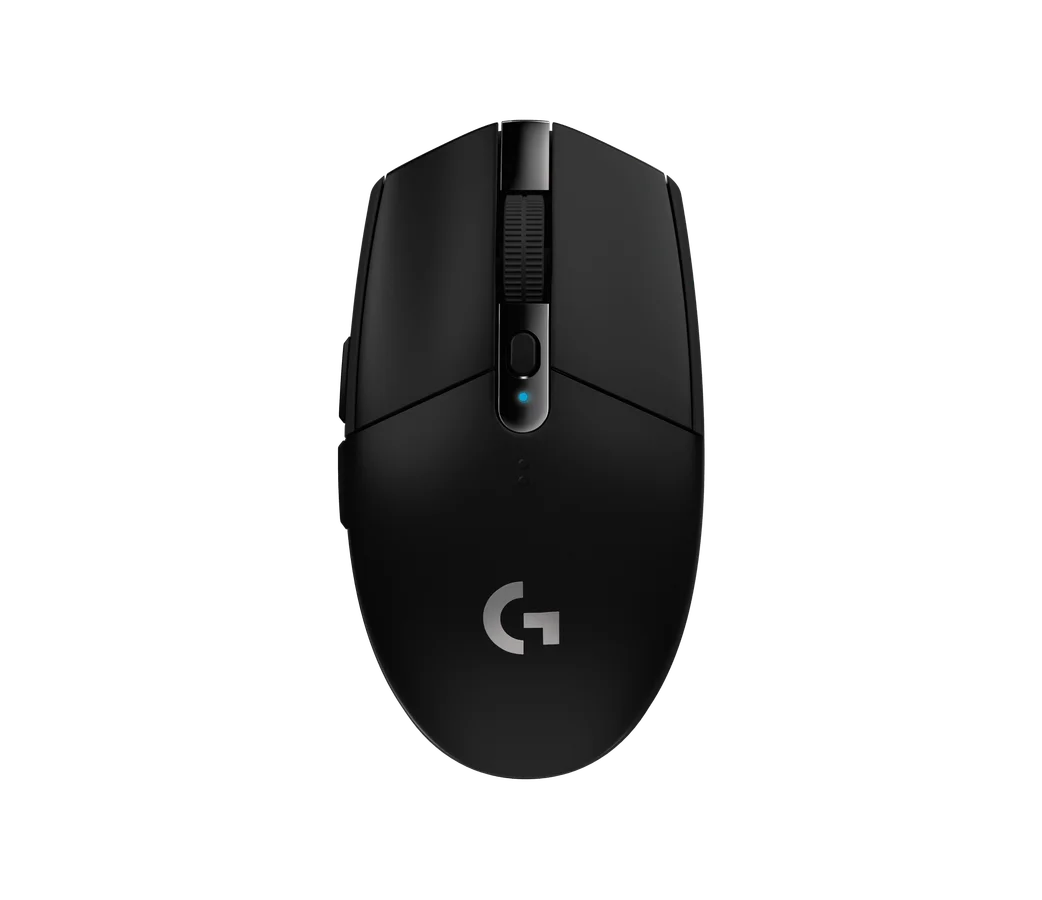
The G305 has a narrow spec sheet, and that is part of its appeal. It uses Logitech's HERO optical sensor with a range of 200 to 12,000 DPI. It connects over LIGHTSPEED wireless and runs on one AA battery. Logitech rates it at up to 250 hours on that battery. This is a manufacturer figure, not a measured result.
Why it suits some buyers: If your mouse lives next to one gaming PC, a single receiver and a single AA battery keep things simple. AA batteries are easy to find. If you want to cut down on disposables, check Logitech's guidance on rechargeable cells.
Trade-offs to weigh:
- Bluetooth: Logitech lists LIGHTSPEED wireless for the G305. If Bluetooth matters to you, for example for a tablet or a laptop without a free port, check the current product listing before you buy.
- Comparing runtime with the Orochi V2: The G305's 250-hour rating is lower than the Orochi V2's 425-hour HyperSpeed rating. Keep in mind that Razer's figure applies to its included lithium AA, and Logitech's rating does not specify the battery chemistry. The two numbers are a rough guide rather than an exact like-for-like match.
- Comparing runtime with the Rival 3 Wireless Gen 2: A direct comparison is harder, because SteelSeries' headline figure is for Bluetooth only. If long runtime on a dedicated receiver is a priority, check each manufacturer's figure for that type of connection.
Razer Orochi V2: the most flexible battery and connection setup
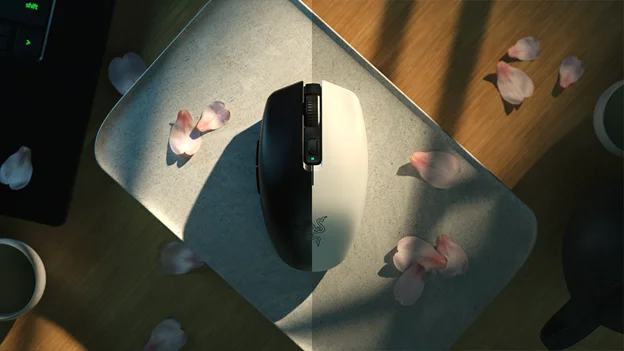
The Orochi V2 lists up to 18,000 DPI and six programmable buttons. It connects over both Bluetooth and 2.4 GHz HyperSpeed. Its battery design is unusual: it accepts either one AA or one AAA battery, but not both at the same time.
Razer lists up to 950 hours on Bluetooth or up to 425 hours on HyperSpeed with the included lithium AA battery. Those figures apply to that battery in those modes. If you switch to a AAA cell, or to a different AA chemistry, expect the figures to differ. Razer's ratings do not tell you by how much.
Why it suits some buyers: If you move between a desktop and a laptop, having Bluetooth and a dedicated wireless receiver on one mouse is useful. The six programmable buttons also give you room for game binds or productivity shortcuts.
Trade-offs to weigh:
- Battery figures: The headline numbers depend on mode and battery type. Treat 950 hours as a best-case Bluetooth rating, not as what you will get gaming on HyperSpeed.
- Weight: When you see a weight figure for this mouse, check whether it includes a battery. An AA or AAA cell adds weight, so make sure you are comparing equivalent figures across mice.
SteelSeries Rival 3 Wireless Gen 2: dual modes with adjustable weight
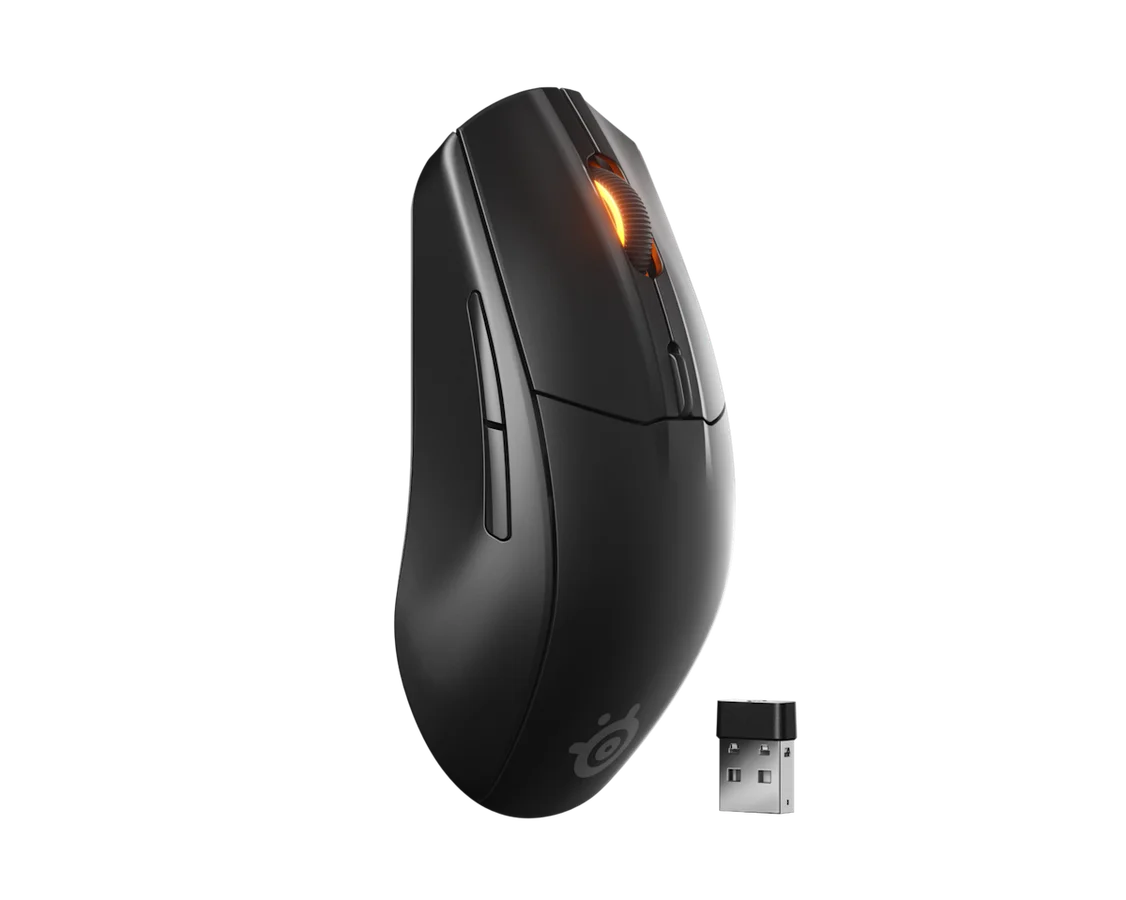
The Rival 3 Wireless Gen 2 supports Bluetooth and 2.4 GHz connections. SteelSeries lists up to 450 hours on Bluetooth. It uses 100% PTFE feet. It takes two AAA batteries but can run on just one if you want a lighter mouse.
Why it suits some buyers: Two connection modes cover both desktop and laptop use. The single-battery option lets you trade some battery capacity for lower weight without modifying anything. The 100% PTFE feet are a specific detail listed by SteelSeries, not a vague marketing line.
Trade-offs to weigh:
- 2.4 GHz runtime: SteelSeries' 450-hour figure is for Bluetooth. If you plan to play over 2.4 GHz, check the product page for a runtime in that mode.
- Single-battery runtime: Running on one battery is likely to shorten the time between swaps. Check whether SteelSeries publishes a single-battery figure before relying on that setup for long sessions.
- Generation: This is the Gen 2 model. Specifications for the original Rival 3 Wireless should not be assumed to apply. When reading reviews or listings, check which generation they describe.
- Latency: No independent latency testing was performed for this guide, so do not treat any latency claim here as measured.
Battery Systems Compared
All three picks use replaceable batteries, but they do it differently, and the differences affect daily use.
| Mouse | Battery setup | Manufacturer rating | What to check |
|---|---|---|---|
| Logitech G305 LIGHTSPEED | One AA | Up to 250 hours on one AA | Which battery type the rating assumes |
| Razer Orochi V2 | One AA or one AAA, never both | Up to 950 hours Bluetooth or 425 hours HyperSpeed with the included lithium AA | Runtime with a AAA or another AA chemistry |
| SteelSeries Rival 3 Wireless Gen 2 | Two AAA, or one for reduced weight | Up to 450 hours on Bluetooth | Runtime on 2.4 GHz and on a single battery |
Replaceable batteries have practical advantages. There is no internal cell to wear out over the years, and a fresh battery gets you back in a match in seconds. The downsides are the ongoing cost of disposables and the added weight of the cell.
A set of good rechargeable cells and a charger can address the cost issue. Make sure the battery type and size match what each mouse accepts, and check each manufacturer's guidance on rechargeable cells.
When comparing ratings, compare like with like. A Bluetooth figure and a 2.4 GHz figure are not equivalent. The Orochi V2's own ratings show how much mode can change the number: 950 hours on Bluetooth versus 425 on HyperSpeed with the same battery. That is why the Rival 3 Wireless Gen 2's 450-hour Bluetooth rating should not be compared directly with the G305's 250-hour rating or the Orochi V2's HyperSpeed figure.
Trade-offs That Matter on a Budget
Connection modes versus simplicity
A mouse with both Bluetooth and a 2.4 GHz receiver is more flexible. Mode choice can also affect rated runtime. On the Orochi V2, Razer's Bluetooth rating is more than double its HyperSpeed rating with the same battery. If you only ever use one PC, the extra mode may not add much. If you work on a laptop and game on a desktop, it can save you from buying a second mouse. Our laptops and connectivity guides cover ports, adapters and wireless options in more depth.
Maximum DPI versus usable precision
The Orochi V2's 18,000 DPI ceiling is higher than the G305's 12,000, but that gap matters less than it seems. Most people settle on a sensitivity that feels comfortable rather than using the top of the range. A higher number on the box does not by itself guarantee better tracking, and we have not tested sensor accuracy on any of these models. Treat DPI range as a minor factor unless you know you need very high sensitivity, for example on a very high-resolution display.
Battery life versus weight
Battery choice is one of the few weight adjustments you can make on these mice:
- Rival 3 Wireless Gen 2: choose between two AAA cells or one, trading some capacity for a lighter mouse.
- Orochi V2: choose between one AA and one AAA. Razer's runtime ratings are for the included lithium AA, so check the manufacturer's guidance before relying on a AAA for long sessions.
- G305: one fixed setup.
If you prefer a lighter mouse for fast flicks, the adjustable options give you some control.
Buttons versus clean layout
The Orochi V2 lists six programmable buttons. If you rely on extra binds in MMOs or for shortcuts, check button counts and placement for any mouse you compare. More buttons are not always better if they sit where your grip triggers them by accident.
Compatibility Checklist
Work through these checks before buying any of the three:
- Receiver port: Check which connector the wireless receiver uses and whether your PC or laptop has a free matching port. If not, budget for an adapter or hub.
- Bluetooth need: If you need Bluetooth, the Orochi V2 and Rival 3 Wireless Gen 2 list it. For the G305, confirm on the current listing.
- Battery type: The G305 takes AA. The Orochi V2 takes one AA or one AAA, not both. The Rival 3 Wireless Gen 2 takes up to two AAA. Make sure any rechargeable cells you plan to use match, and check the manufacturer's guidance on them.
- Generation: For SteelSeries, confirm the listing says Gen 2. Do not rely on original Rival 3 Wireless specs.
- Software and OS: If you want to remap buttons or change DPI steps, check that the brand's configuration software supports your operating system.
- Receiver placement: On a desktop with rear ports, consider whether you need a USB extension or a front port to keep the receiver close to the mouse. Our desk setup guides can help you plan cable and receiver placement.
- Hand fit: Check the published dimensions against your hand size and grip style. This matters more than most spec-sheet numbers.
- Current price: Check the live price of each model. Budget pricing changes often, and the cheapest option today may not be the cheapest next week.
Buying Advice for This Category
Decide where the mouse will live. A mouse that stays at one desktop needs different features from one that travels in a laptop bag. Single-mode simplicity suits the first case. Dual-mode flexibility suits the second.
Read battery ratings carefully. Note which mode and which battery a rating applies to. A big Bluetooth number may not reflect how long the mouse lasts when you game on its 2.4 GHz connection.
Plan for batteries as a running cost. Replaceable batteries avoid built-in battery wear, but disposables add up. If you play daily, rechargeable cells are worth considering if the manufacturer supports them.
Do not chase maximum DPI. Fit, weight, connection type and battery design affect daily use more than the top of the DPI range.
Check the generation and the listing. Budget mice often sit next to older versions or similar-looking models. Confirm the exact model name before checkout, especially for the Rival 3 Wireless Gen 2.
Pick by use case, not by ranking. None of these three is the best for everyone:
- The G305 suits a simple desktop setup.
- The Orochi V2 suits a mixed laptop and desktop routine where long rated battery life matters.
- The Rival 3 Wireless Gen 2 suits players who want dual modes and the choice to trim battery weight.
Frequently asked questions
Which of these mice has the longest battery life?
Based on manufacturer ratings, the Razer Orochi V2 lists the highest figures: up to 950 hours on Bluetooth or 425 hours on HyperSpeed with the included lithium AA battery. These are manufacturer figures, not measured results, and runtime changes with battery type and connection mode. SteelSeries lists 450 hours on Bluetooth for the Rival 3 Wireless Gen 2, so check its 2.4 GHz runtime if you plan to use that mode.
Can I use rechargeable batteries in these mice?
All three use replaceable batteries. The G305 takes one AA, the Orochi V2 takes one AA or one AAA (not both), and the Rival 3 Wireless Gen 2 takes up to two AAA. Check each manufacturer's guidance on rechargeable cells, make sure any cells match the required size, and expect runtimes to differ from the manufacturer ratings.
Do I need Bluetooth on a budget wireless gaming mouse?
Only if you plan to use it with devices where a receiver is inconvenient, such as a laptop with limited ports. For gaming at one desktop, a dedicated 2.4 GHz receiver keeps things simple. The Orochi V2 and Rival 3 Wireless Gen 2 both list Bluetooth and 2.4 GHz. On the Orochi V2, Razer rates Bluetooth for longer runtime than HyperSpeed.
Are the original Rival 3 Wireless specs the same as Gen 2?
Do not assume so. The Gen 2 is a separate model, and SteelSeries documents its own specifications. Check that any listing or review you read refers to the Gen 2 before relying on its figures.
Research-led guides for better PC setups. Read how we select and check gear.