For a noisy room, start with the Shure MV6 Gen 2 and its adjustable denoiser, Auto Level and 5-band EQ. If you want a microphone integrated with Elgato's Wave Link software, choose the Elgato Wave:3 MK.2. For a cramped desk, consider the RØDE NT-USB Mini with its swing mount and built-in pop filter.
If you stream from a shared or noisy room, start with the Shure MV6 Gen 2. It has an adjustable real-time denoiser, adjustable Auto Level and a 5-band EQ. Among these three microphones, that is the widest documented set of tools for shaping your voice before it reaches your stream. If you want a microphone that integrates with dedicated companion software, the Elgato Wave:3 MK.2 and its Wave Link integration are the more natural fit. If your desk is tight and you care most about flexible positioning and plosive control, look at the RØDE NT-USB Mini.
These recommendations are based on manufacturer specifications and documentation. They are not measured rankings. We did not run recorded listening tests, so this guide covers what each microphone is documented to do, where each one fits and what you should verify before you buy. You can read more about how we put guides together in our editorial policy, and find related coverage in our streaming and audio section.
Quick picks
| Product | Best for | Documented strength | Check before buying |
|---|---|---|---|
| Shure MV6 Gen 2 | Noisy rooms and hands-off level control | Adjustable real-time denoiser, adjustable Auto Level, 5-band EQ, 3.5 mm monitoring, tap-to-mute | Confirm the listing says Gen 2. Shure announced it on September 30, 2026. Older MV6 pages specify a 1-meter cable, while the Gen 2 announcement specifies a 2-meter USB-C cable. |
| Elgato Wave:3 MK.2 | Streamers who want Wave Link software integration | Cardioid USB condenser with onboard DSP, Auto Gain, tap-to-mute, headphone monitoring and Wave Link integration | Make sure you are buying the MK.2 and not the original Wave:3. Check the MK.2 specifications and bundled accessories on their own, without mixing in the older model's details. |
| RØDE NT-USB Mini | Compact desks and flexible positioning | Built-in pop filter, detachable magnetic desk base, 360-degree swing mount, built-in DSP for RØDE Connect processing | Do not confuse it with the NT-USB or NT-USB+. Confirm connection and monitoring details on the Mini's own specification page. |
How these picks were selected
A streaming microphone has a different job from a podcast or music microphone. It sits close to a noisy keyboard and possibly a fan-cooled PC. It has to sound consistent across hours of talking at very different volumes, and it has to fit into the software you already run. We compared the three models on five criteria:
- Placement: how easily the microphone can be positioned close to your mouth without blocking your monitor or camera.
- Room noise: what documented tools exist for reducing background sound.
- Monitoring: whether you can hear yourself directly through headphones connected to the microphone.
- Physical controls: how quickly you can mute without alt-tabbing out of a game.
- Software compatibility: which companion software the microphone integrates with, and what that means for your setup.
We also paid close attention to product generations. All three of these microphones share their names with older or sibling models that have different specifications, and buying the wrong one is an easy mistake. Every product claim in this guide comes from manufacturer documentation. Where a detail is not documented, we say so and tell you what to check.
The three microphones in detail
Shure MV6 Gen 2: best for noisy rooms
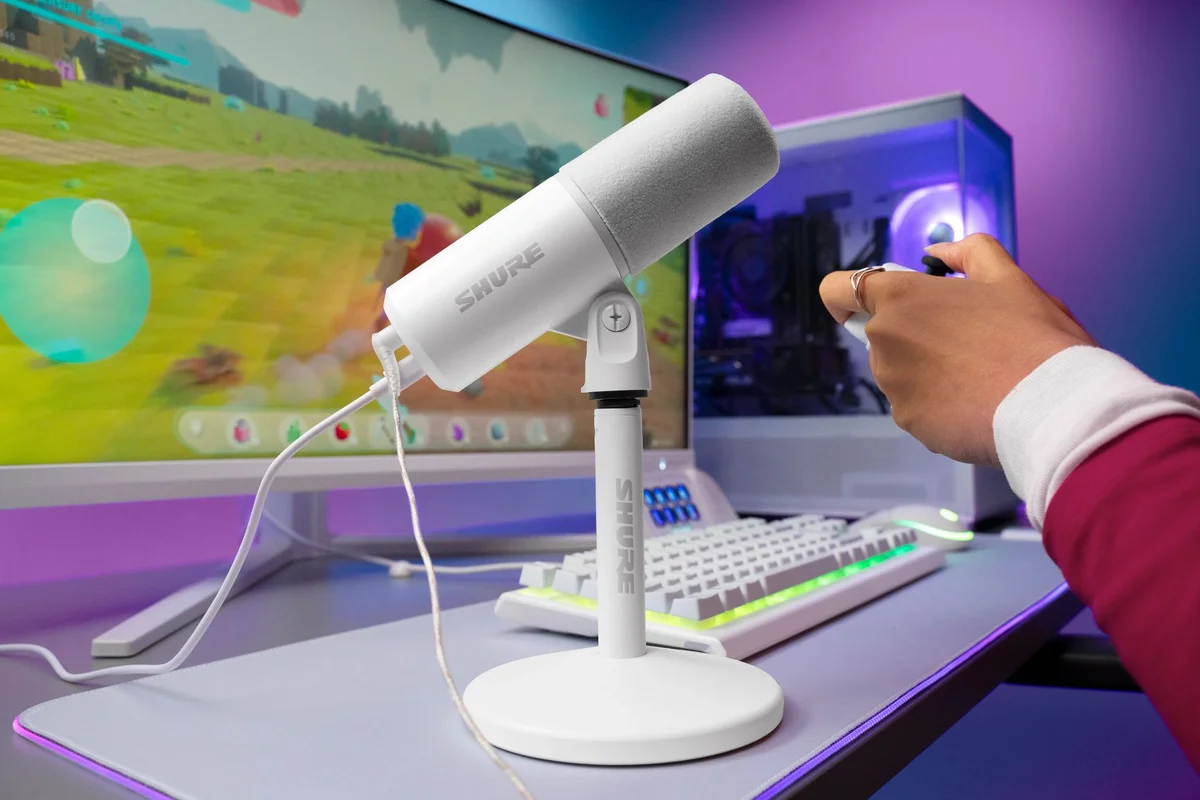
The MV6 Gen 2 is a USB-C microphone with 3.5 mm headphone monitoring and a tap-to-mute control. Its processing features are the main reason to choose it for streaming. Shure documents an adjustable Auto Level, an adjustable real-time denoiser and a 5-band EQ.
The important word there is adjustable. Fixed noise reduction can be too aggressive for a quiet room and too gentle for a loud one. Being able to tune the denoiser and the automatic level control lets you balance suppressing background sound against keeping your voice natural. The 5-band EQ adds tonal control. Check Shure's documentation for where these adjustments are made and whether they carry over between the apps you use.
Shure's announcement also specifies a 2-meter USB-C cable and a desktop stand. The longer cable matters if your PC sits on the floor or under the desk, because a short cable can force the microphone into an awkward spot.
Watch out for: Shure announced Gen 2 on September 30, 2026, and older MV6 pages list a 1-meter cable. If a listing does not clearly say Gen 2, treat its specifications as unconfirmed. The denoiser's performance has not been independently measured, so think of it as a useful tool, not a promise of a silent background.
Elgato Wave:3 MK.2: best for Wave Link users
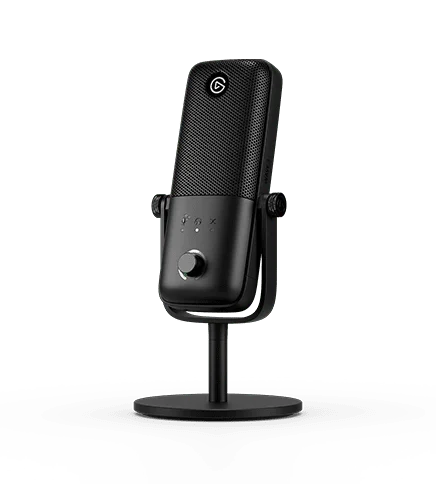
The Wave:3 MK.2 is a USB condenser microphone with a cardioid pickup pattern. Cardioid microphones are most sensitive to sound arriving from the front and less sensitive to sound from the rear, so positioning makes a real difference with this one.
Elgato documents onboard DSP, Auto Gain, tap-to-mute and headphone monitoring. Its defining feature for streamers is Wave Link software integration. If you already use Wave Link, or you want your microphone tied to a dedicated companion application, this is the pick that documents that integration. Check Elgato's current Wave Link documentation to confirm it covers the specific audio tasks you need.
Auto Gain addresses a common streaming problem: you speak quietly while concentrating, then suddenly shout during a tense moment. Automatic gain can reduce how often you have to adjust levels by hand. Its performance has not been independently measured, so check that it behaves the way you want in your own room before you go live.
Watch out for: Elgato's product page compares the original Wave:3 with the MK.2. Read it carefully. Do not assume that a feature or bundled accessory listed for one model applies to the other. If you are looking at a secondhand or third-party listing, make sure the MK.2 designation is explicit.
RØDE NT-USB Mini: best for compact and flexible setups
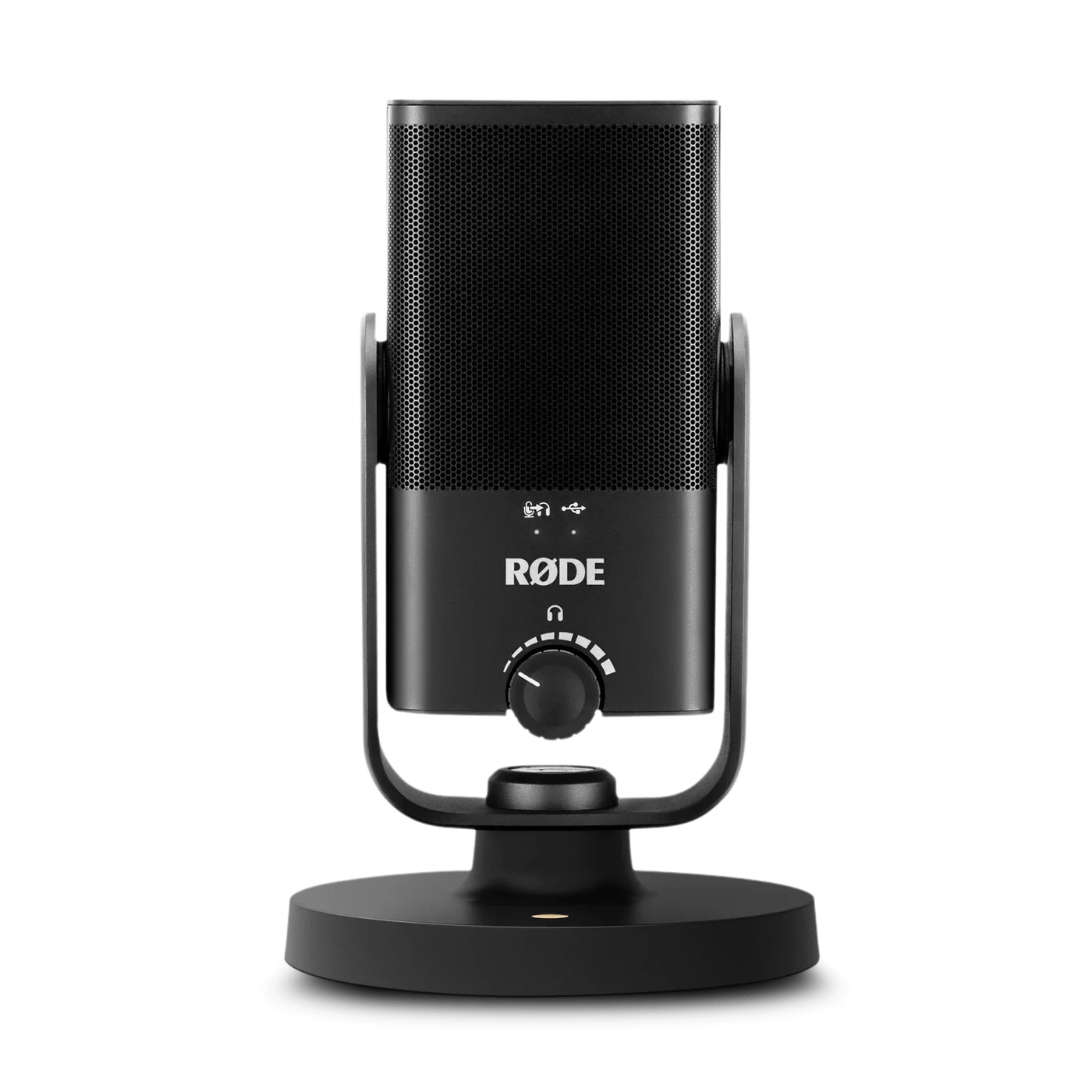
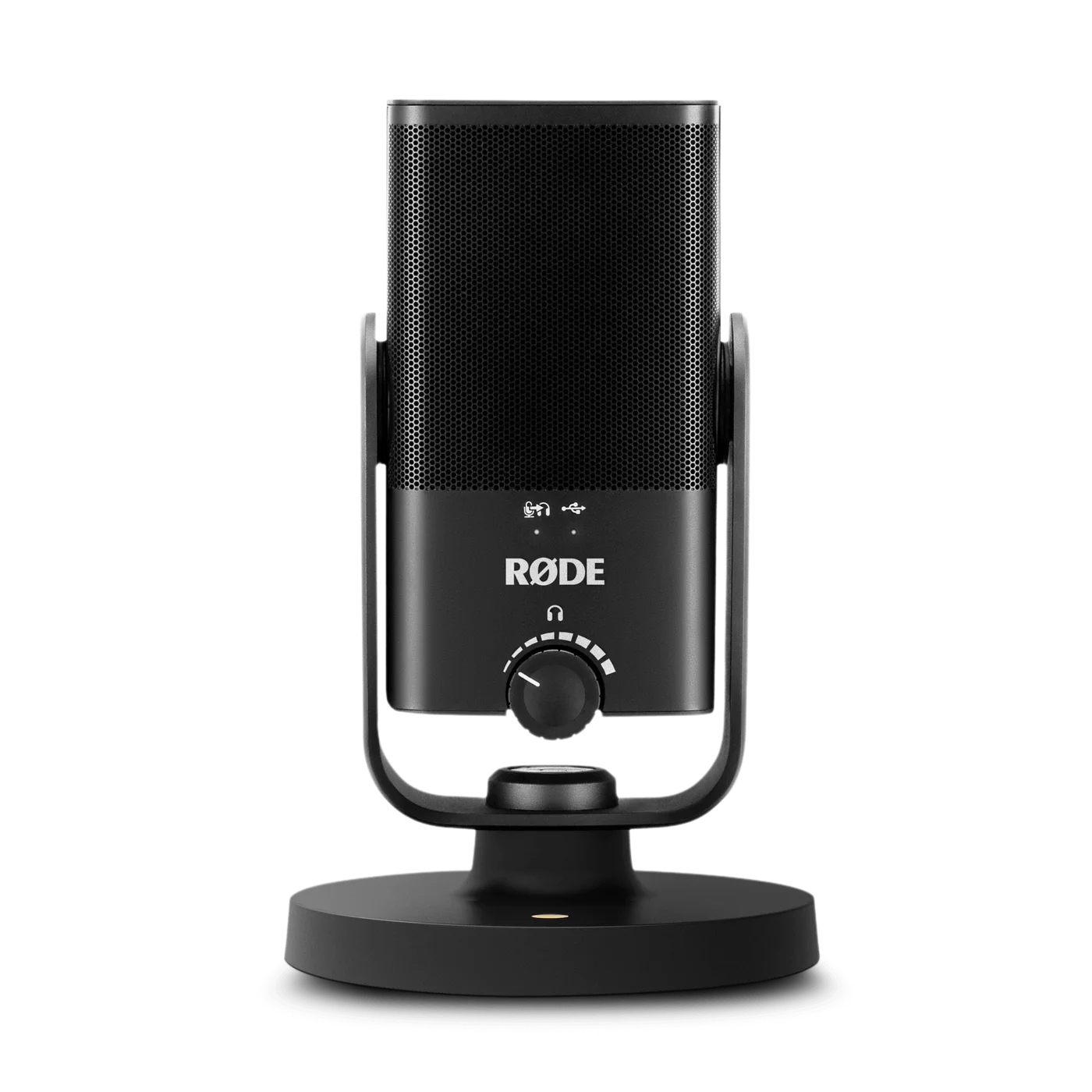
The NT-USB Mini focuses on physical practicality. It has a built-in pop filter, a detachable magnetic desk base and a 360-degree swing mount. It also has built-in DSP for RØDE Connect processing.
The built-in pop filter helps with plosives, the bursts of air from sounds like "p" and "b", without adding a separate screen in front of your face or webcam. The swing mount and detachable base make it easier to angle the microphone toward your mouth from a corner of the desk, which is useful when a large monitor or keyboard takes up most of the space.
Watch out for: RØDE sells the NT-USB, NT-USB+ and NT-USB Mini, and they are different products. This guide refers only to the NT-USB Mini. The connector type, headphone output and pickup pattern are not covered in the documentation this guide draws on. That does not mean the Mini lacks them, but you should confirm each one on RØDE's page for the Mini before you assume it matches your needs. As with the other two microphones, the performance of its DSP processing has not been independently measured.
The tradeoffs that matter for streaming
None of these microphones wins on every point. These are the choices you are actually making:
- Tunable processing or a software ecosystem: The MV6 Gen 2 documents the most granular processing adjustments, with an adjustable denoiser, adjustable Auto Level and a 5-band EQ. The Wave:3 MK.2 pairs onboard DSP and Auto Gain with Wave Link integration. RØDE's DSP is tied to RØDE Connect processing. Choose based on which tools you want and which software you are willing to run.
- Automatic level control or manual gain: Auto Gain and Auto Level help with unpredictable volume, but some streamers prefer fixed, predictable levels. If you already process audio heavily in your streaming software, stacking automatic controls can make troubleshooting harder.
- Built-in physical features or add-ons: The NT-USB Mini's pop filter and swing mount are built in. With other microphones, you may need a separate pop filter or arm to get comparable placement.
- Generation certainty: The MV6 Gen 2 was announced on September 30, 2026, and older MV6 pages carry different specifications. Elgato's Wave:3 MK.2 page also compares it with its predecessor. The NT-USB Mini has two similarly named siblings. The more names a product shares, the more checking you should do before you buy.
- Monitoring: The MV6 Gen 2 documents 3.5 mm monitoring, and the Wave:3 MK.2 documents headphone monitoring. For the NT-USB Mini, check RØDE's specification page if you need direct monitoring. Hearing yourself through the microphone helps you catch clipping, plosives and odd processing while you stream.
Placement and room noise matter more than the spec sheet
Processing features can help, but they cannot fully fix a microphone that is too far away or pointed at the wrong source. A few habits make a bigger difference than most feature lists:
- Get closer. A microphone near your mouth picks up more of your voice relative to the room. That lets you use lower gain, which reduces background noise before any DSP gets involved.
- Aim away from noise. For a cardioid microphone like the Wave:3 MK.2, point the rear of the microphone toward your PC, fan or open door where you can.
- Separate it from your keyboard. A microphone resting on the same desk surface as a loud mechanical keyboard can pick up typing and desk bumps. Raising it or moving it to the side often helps.
- Treat the obvious reflections. Bare walls and hard desks add echo. Soft furnishings, curtains or a rug can reduce it without any specialist treatment.
- Test before you rely on the denoiser. Record a short clip with your usual background noise and listen back on headphones. Turn processing up only as far as you need.
If you are planning a microphone arm, monitor position or cable routing, map out the physical space first so the microphone can sit close to your mouth without crowding your screen or camera. Our desk setup guides cover layout and cable management in more depth.
Compatibility checklist before you buy
- Confirm the exact model and generation. Look for "MV6 Gen 2", "Wave:3 MK.2" or "NT-USB Mini" in the listing title and specifications, not just the brand name.
- Check your USB ports. The MV6 Gen 2 uses USB-C. If your computer has limited ports or only USB-A ports, work out whether you need an adapter or hub. Our laptops and connectivity section covers ports and hubs. Check the connector details for the other two microphones on their manufacturer pages.
- Measure cable reach. The MV6 Gen 2 announcement specifies a 2-meter USB-C cable. Measure the distance from where the microphone will sit to your PC's port, allowing for routing around the desk.
- Verify software support for your operating system. Wave Link, RØDE Connect and any software Shure requires for adjusting the MV6 Gen 2's processing each have their own system requirements. Confirm current support on the manufacturer's site before you buy, especially if you use Linux or an older system.
- Plan your monitoring. If you want to plug headphones into the microphone, confirm it has a suitable output. The MV6 Gen 2 documents 3.5 mm monitoring, and the Wave:3 MK.2 documents headphone monitoring. For the NT-USB Mini, check RØDE's page.
- Check mounting options. If you plan to use a boom arm, confirm the thread size and mount type on the manufacturer's specification page before you buy an arm. Thread details are not covered here.
- Check what is in the box. Bundled accessories can differ between generations. Read the current model's package contents, not a review or listing for an older version.
- Check the current price yourself. We do not list prices because they change. Compare current pricing from your preferred retailer at the time of purchase.
Which one should you choose
Choose the Shure MV6 Gen 2 if background noise is your main problem and you want adjustable processing. It combines an adjustable denoiser, adjustable Auto Level and a 5-band EQ with a 2-meter USB-C cable and a desktop stand, which gives you the most documented processing control of the three for a shared room. Just confirm you are getting Gen 2.
Choose the Elgato Wave:3 MK.2 if you want your microphone integrated with Elgato's Wave Link software and you like the idea of Auto Gain handling sudden changes in volume. Its cardioid condenser design rewards careful placement.
Choose the RØDE NT-USB Mini if desk space and positioning are your biggest constraints. The swing mount, detachable magnetic base and built-in pop filter address practical placement problems directly, and its built-in DSP supports RØDE Connect processing.
Whichever you pick, placement and room setup will shape your stream's sound as much as the microphone does. Test your setup with a short recording before your first broadcast, and adjust position before you adjust processing.
Frequently asked questions
Is the Shure MV6 Gen 2 different from the original MV6?
Yes. Shure announced the MV6 Gen 2 on September 30, 2026. Its announcement specifies a 2-meter USB-C cable and a desktop stand, while older MV6 pages list a 1-meter cable. Check that any listing explicitly says Gen 2 before relying on its specifications.
Should I buy the Elgato Wave:3 or the Wave:3 MK.2?
This guide covers only the Wave:3 MK.2. Elgato's page compares the original and the MK.2, and you should not treat their specifications or bundled accessories as interchangeable. Confirm the MK.2 designation in the listing and check its own specifications.
Will a denoiser remove all background noise from my stream?
Not necessarily. Features like the MV6 Gen 2's adjustable real-time denoiser can help, but their performance has not been independently measured. Placing the microphone close to your mouth and away from noise sources is still the most reliable starting point. Test with a short recording in your own room.
Is the RØDE NT-USB Mini the same as the NT-USB or NT-USB+?
No. They are separate products. The NT-USB Mini is documented with a built-in pop filter, a detachable magnetic desk base, a 360-degree swing mount and built-in DSP for RØDE Connect processing. Check the Mini's own page for connection and monitoring details.
Research-led guides for better PC setups. Read how we select and check gear.